
Table of Contents
Introduction
STEM education encourages students to explore Science, Technology, Engineering, and Mathematics through practical activities and real-world problem-solving. Among the most engaging Grade 7 STEM Activities is the Push Button with Arduino project, which combines coding, electronics, and circuit design into a single hands-on learning experience.
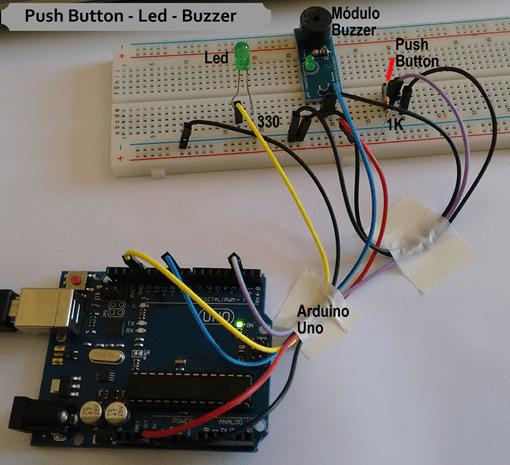
In this project, students use a push button as an input device and an LED and buzzer as output devices. When the push button is pressed, the Arduino board detects the input and activates both the LED and buzzer simultaneously. This simple yet powerful activity helps students understand how electronic systems interact with users through inputs and outputs.
The Push Button with Arduino project is ideal for beginners because it introduces the fundamentals of programming and electronics in an easy-to-understand manner while encouraging creativity and experimentation.
What is a Push Button with Arduino?
A push button is an electronic switch that allows a user to send a signal to a circuit when pressed. When connected to an Arduino board, the push button becomes an input device that can control various outputs such as LEDs, buzzers, motors, and sensors.
In this Push Button with Arduino project, the Arduino continuously checks the state of the push button. When the button is pressed, the Arduino sends a signal to activate the LED and buzzer. When the button is released, both devices turn off.
This interaction demonstrates the basic principle of digital electronics and introduces students to how modern devices respond to user commands.
Why This Project is Perfect for Grade 7 STEM Activities
The Push Button with Arduino project is an excellent choice for Grade 7 STEM Activities because it integrates multiple STEM disciplines into one engaging task.
Science is involved through understanding electrical circuits and current flow. Technology is represented by the Arduino microcontroller and programming environment. Engineering is applied while designing and assembling the circuit. Mathematics can be used to analyze circuit behavior and logical operations.
Students not only learn technical concepts but also improve problem-solving, observation, and critical-thinking skills. These abilities are essential for future learning in robotics, electronics, and computer science.
Components Required
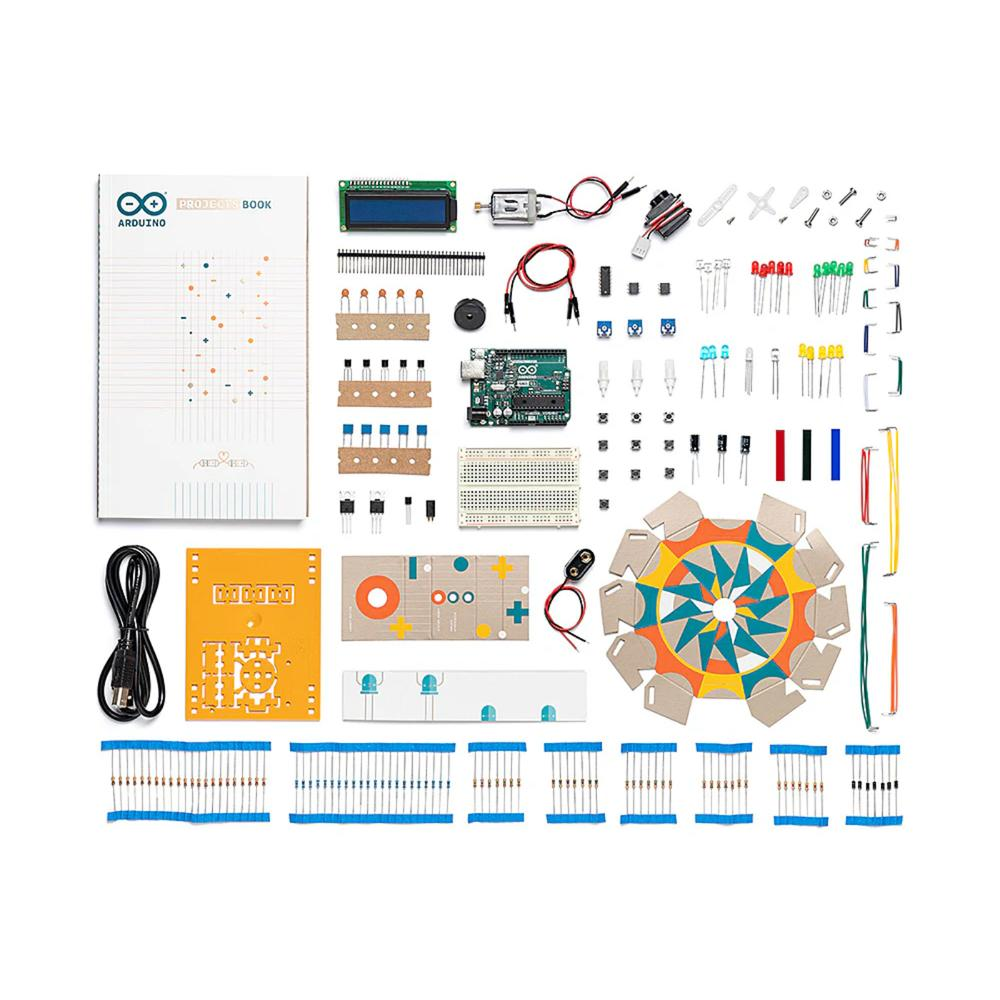
To create this project, students will need the following components’
- Arduino Uno Board
- Breadboard
- Push Button
- LED
- Buzzer
- Jumper Wires
- USB Cable
- Resistor
The Arduino Uno serves as the brain of the project and processes all inputs and outputs. The push button acts as the input device, while the LED and buzzer provide visual and audio feedback. The breadboard and jumper wires help create the circuit without soldering.
These components are commonly used in beginner electronics projects and are excellent tools for learning practical STEM concepts.
Understanding the Working Principle
The working principle of the Push Button with Arduino project is based on digital input and output signals.
When the push button is not pressed, the Arduino receives a LOW signal from the input pin. Under this condition, the LED remains off and the buzzer does not produce any sound.
When the push button is pressed, the electrical state changes. The Arduino detects this change and executes the programmed instructions. The output pins connected to the LED and buzzer become active, causing the LED to light up and the buzzer to generate sound.
The Arduino continuously monitors the button and responds instantly to any user interaction. This demonstrates how microcontrollers process information and control external devices.
Circuit Connections
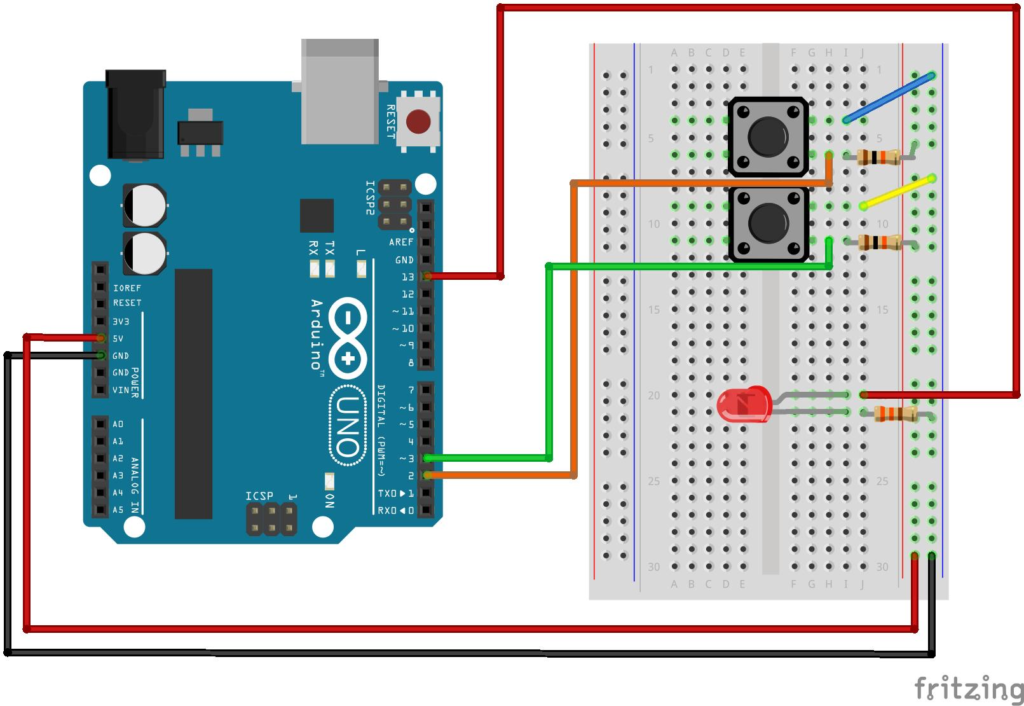
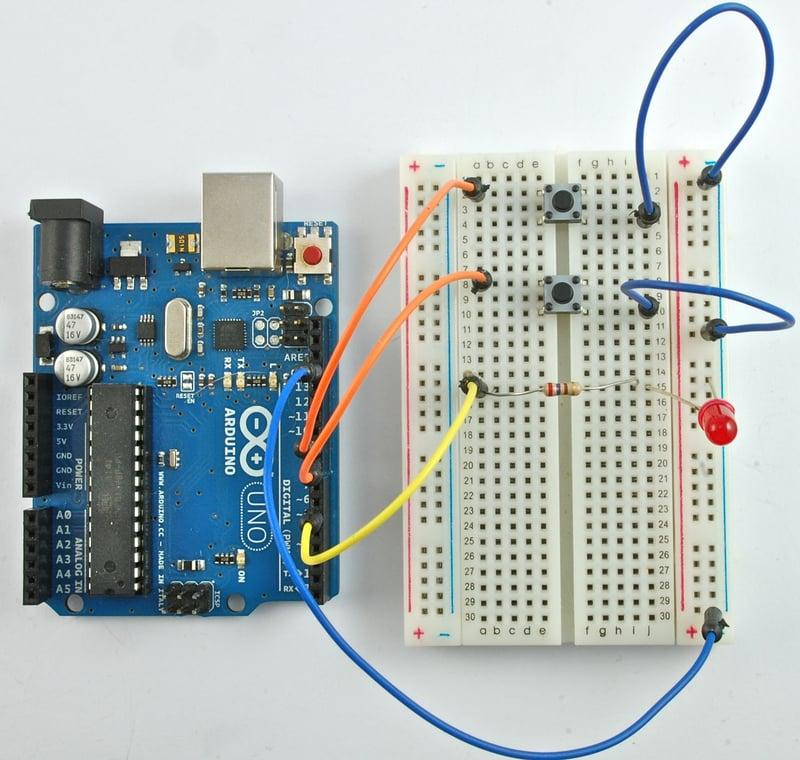
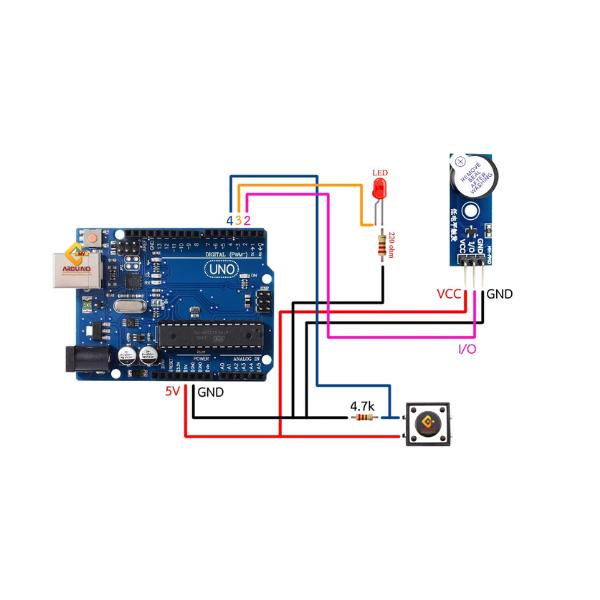
Proper circuit assembly is important for successful project operation.
Connecting the LED
The LED is connected to one of the Arduino digital output pins. The longer leg of the LED is connected to the output pin, while the shorter leg is connected to ground through a resistor.
When the Arduino activates the output pin, the LED illuminates and provides visual feedback.
Connecting the Buzzer
The buzzer is connected to another digital output pin on the Arduino board.
When the button is pressed, the Arduino sends a signal to the buzzer, causing it to produce sound. This allows students to observe both visual and audio outputs from a single input.
Connecting the Push Button
The push button is connected to a digital input pin on the Arduino.
One terminal is connected to the designated input pin, while the other terminal is connected to the ground line.
When pressed, the button changes the signal state, which the Arduino detects and processes.
Common Ground Connection
The LED, buzzer, and push button share a common ground connection.
Using a common ground simplifies the wiring process and reduces the number of jumper wires required. This is a standard practice in electronics and helps students learn efficient circuit design.
Arduino Code Explanation
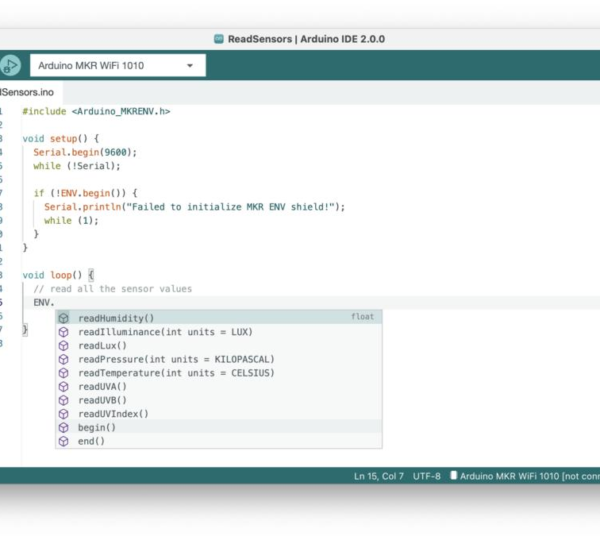
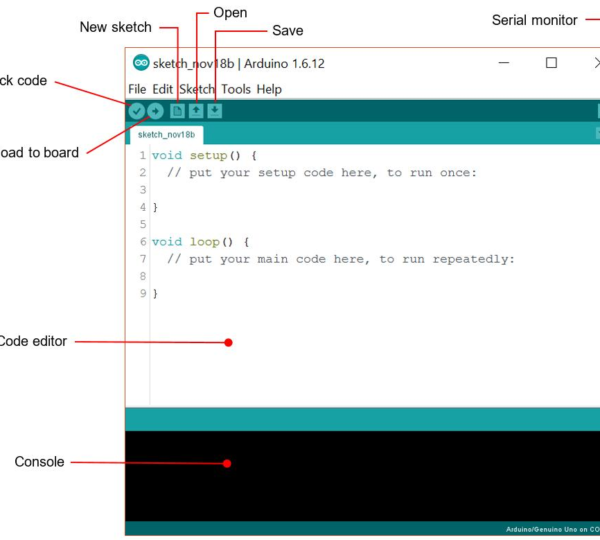
The Arduino IDE is used to write and upload the program to the Arduino board.
Defining Input and Output Pins
The first step in programming is assigning pins for each component.
The push button pin is configured as an input, while the LED and buzzer pins are configured as outputs.
This setup allows the Arduino to receive information from the push button and control the output devices accordingly.
Reading the Push Button State
Inside the main loop, the Arduino continuously checks whether the push button is pressed or released.
This monitoring process enables the system to respond immediately to user actions.
Activating the Outputs
When the push button is pressed, the Arduino turns on both the LED and buzzer.
When the button is released, both outputs are turned off.
This simple logic demonstrates how software and hardware work together to create interactive electronic systems.
Testing the Push Button with Arduino Project
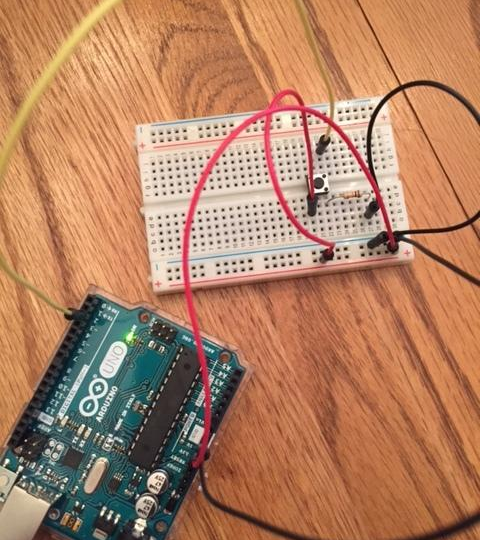
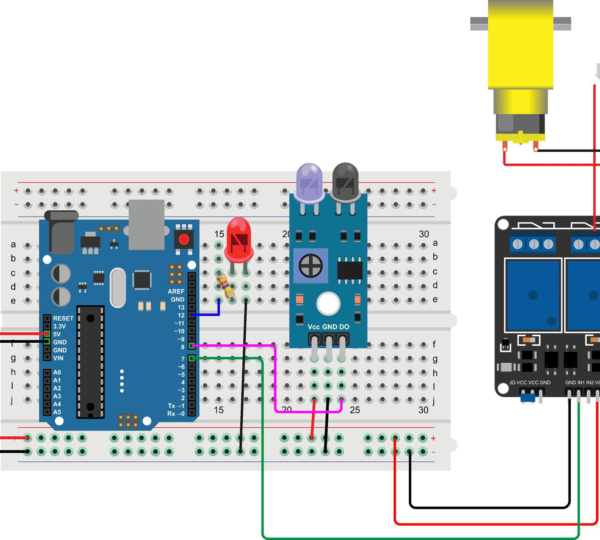
After completing the wiring and uploading the program, the project can be tested.
Connect the Arduino board to a power source and press the push button.
If the circuit has been assembled correctly:
- The LED will turn on.
- The buzzer will produce sound.
When the button is released:
- The LED will turn off.
- The buzzer will stop sounding.
Successful testing confirms that both the hardware and software are functioning correctly.
Real-World Applications
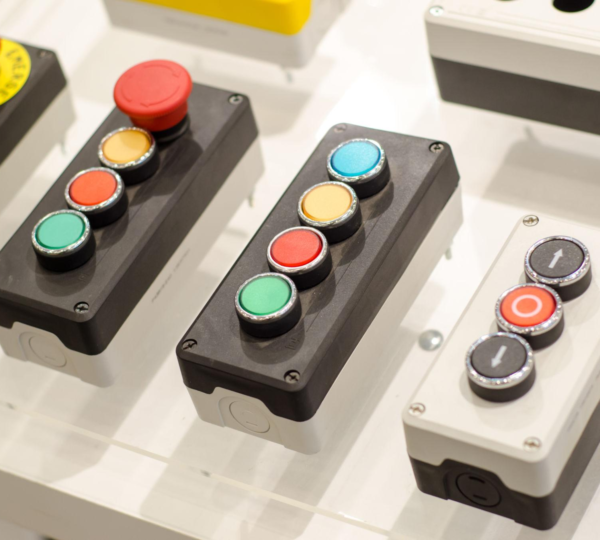
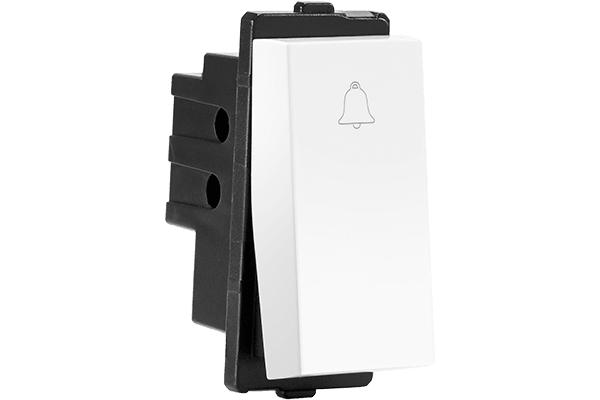
The concepts used in this Push Button with Arduino project are widely applied in modern technology.
Doorbell Systems
Doorbells use push buttons to activate buzzers or chimes when someone presses the button.
Security Systems
Alarm systems often use push buttons and switches to trigger alerts and warning devices.
Industrial Machines
Factories use push buttons to start, stop, and control machinery safely.
Smart Home Devices
Many smart home products use push buttons for user interaction and device control.
Robotics Projects
Robots frequently use buttons to initiate commands, control movements, and trigger specific actions.
Benefits of Learning Arduino Projects
Arduino projects offer numerous educational benefits.
Students learn:
- Electronics fundamentals
- Coding basics
- Engineering design
- Logical thinking
- Problem-solving skills
- Automation concepts
Hands-on learning improves understanding and helps students connect theoretical knowledge with practical applications.
Arduino also encourages creativity by allowing students to experiment with different ideas and build their own innovations.
Grade 7 STEM Activities Using Arduino
Among all Grade 7 STEM Activities, Arduino-based projects are particularly effective because they combine programming with real-world electronics.
Students can expand this project into more advanced activities such as:
- Electronic quiz buzzers
- Smart doorbell systems
- Home automation prototypes
- Interactive game controllers
- Traffic light simulations
- Robot control systems
These projects encourage innovation and help students understand how technology is used to solve real-world problems.
RoboSiddhi STEM Learning Programs
RoboSiddhi promotes practical STEM education through engaging robotics and electronics activities. Projects like the Push Button with Arduino activity help students build confidence while developing technical skills.
Through project-based learning, students gain experience in coding, circuit building, engineering design, and automation. RoboSiddhi’s STEM programs encourage curiosity, creativity, and innovation while making learning enjoyable and interactive.
By working on hands-on projects, students become active learners who can apply classroom concepts to real-world challenges.
Frequently Asked Questions
What is a push button in Arduino?
A push button is an input device used to send signals to an Arduino board when pressed.
How does a push button control an LED?
The Arduino detects the button press and activates the LED through a programmed output pin.
Can one push button control multiple devices?
Yes. A single push button can control LEDs, buzzers, motors, relays, and many other devices.
Is this project suitable for beginners?
Yes. It is one of the best beginner-friendly Arduino projects and an excellent choice for Grade 7 STEM Activities.
Why is Arduino important in STEM education?
Arduino helps students learn programming, electronics, automation, and engineering through practical experiences.
Conclusion
The Push Button with Arduino project is an engaging and educational activity that introduces students to electronics, programming, and automation. By using a simple push button to control an LED and buzzer, learners gain hands-on experience with digital inputs and outputs while developing important STEM skills.
As one of the most effective Grade 7 STEM Activities: Push Button with Arduino and Grade 7 STEM Activities, this project encourages creativity, experimentation, and problem-solving. Whether performed in a classroom, STEM lab, or robotics workshop, it provides a strong foundation for future learning in electronics, robotics, and technology.