
Table of Contents
Introduction to Smart Door System Using Arduino
The Smart Door System Using Arduino is one of the most exciting Grade 7 STEM Activities that introduces students to automation, robotics, sensors, and programming. In this project, an ultrasonic sensor detects the presence of an object and automatically controls a servo motor to open and close a door.
Smart automation is becoming increasingly important in homes, offices, shopping malls, and industrial environments. This project helps students understand how modern automatic doors work while developing practical electronics and coding skills.
The Smart Door System Using Arduino combines hardware and software to create an intelligent system capable of responding to its surroundings without human intervention.
Why Smart Door Systems are Important
Automation has transformed the way people interact with technology. Smart door systems improve convenience, safety, and efficiency.
Some benefits include:
- Touch-free door operation
- Improved accessibility
- Enhanced security
- Reduced manual effort
- Faster entry and exit
- Modern automation experience
The same technology is commonly found in airports, hospitals, hotels, shopping centers, and smart buildings.
Components Required
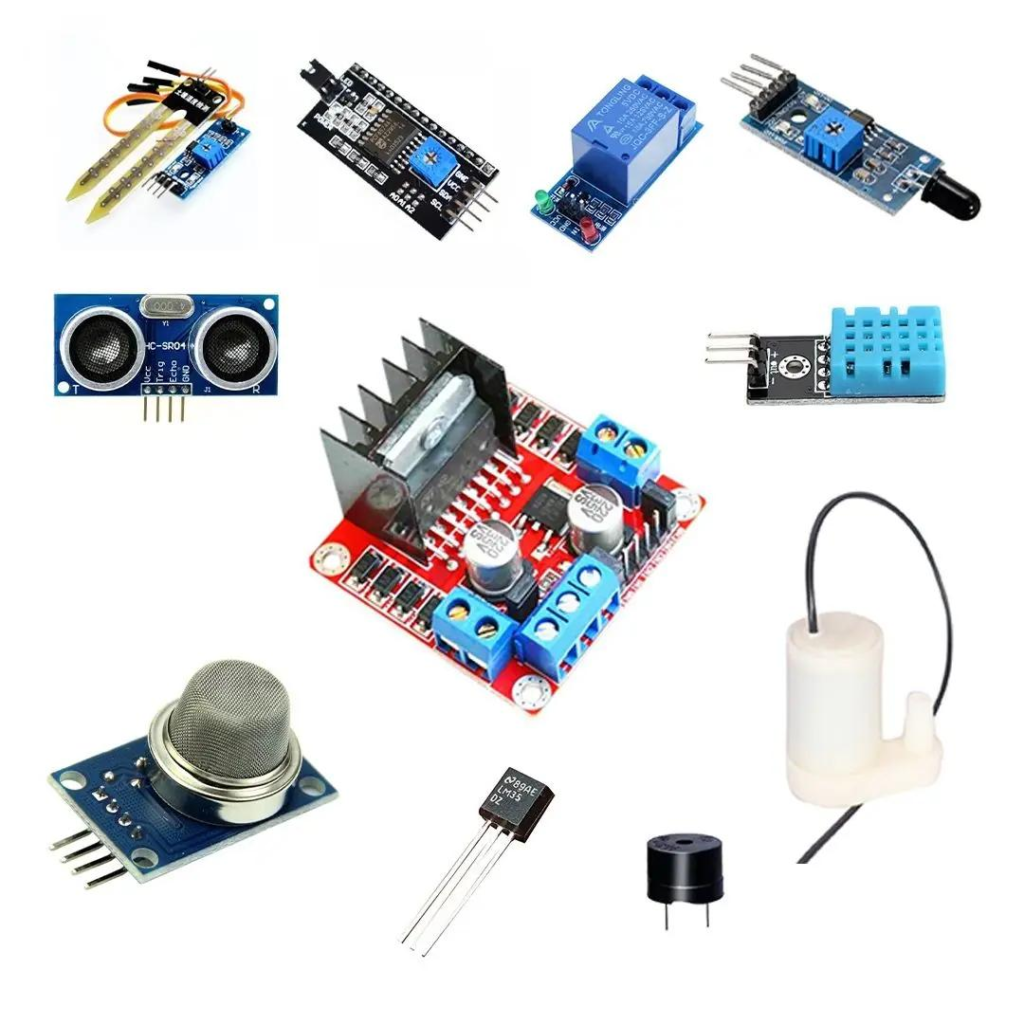
The Smart Door System Using Arduino requires the following components:
- Arduino Uno Board
- Ultrasonic Sensor (HC-SR04)
- Servo Motor
- Breadboard
- Jumper Wires
- USB Cable
- Arduino IDE Software
These components work together to detect nearby objects and automatically move the door mechanism.
Understanding the Working Principle
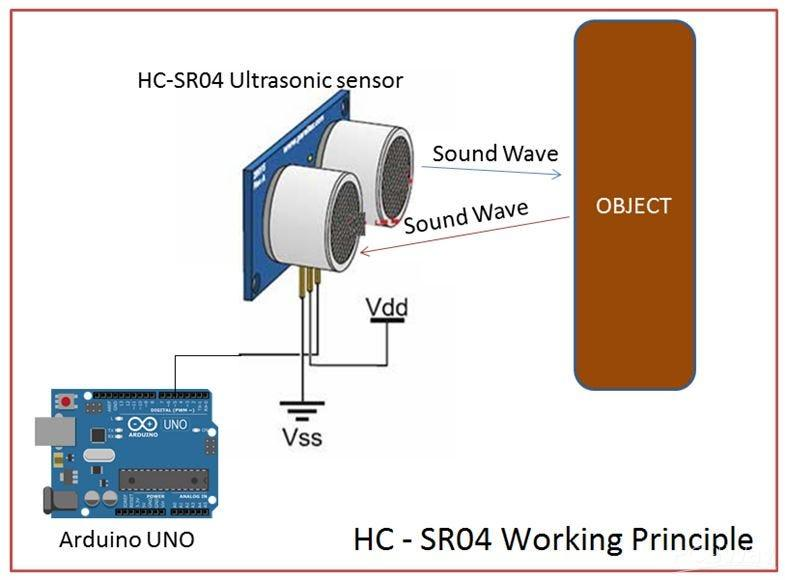
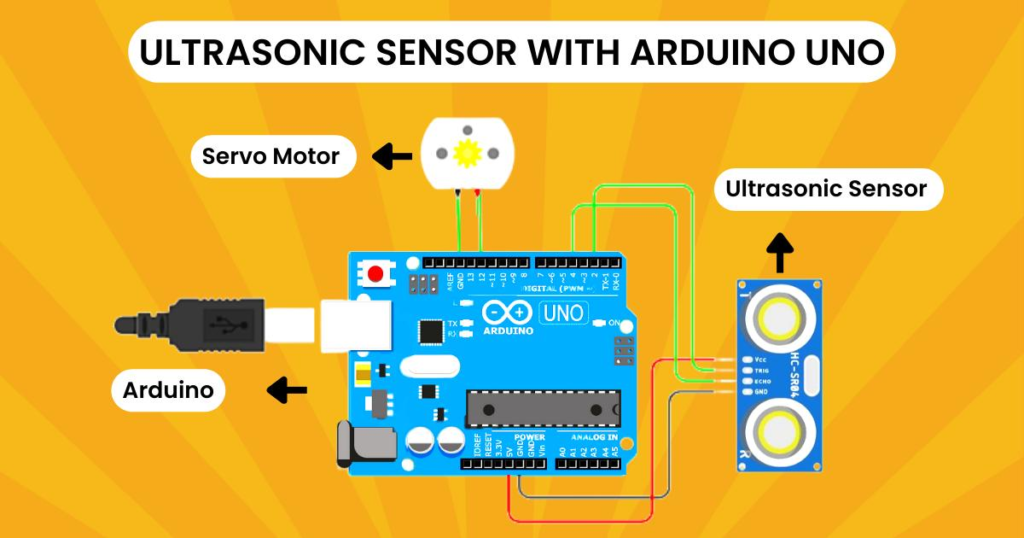
The project uses two major components:
Ultrasonic Sensor
The ultrasonic sensor measures distance using sound waves.
It performs three simple steps:
- Sends ultrasonic pulses.
- Receives reflected signals.
- Calculates the distance of nearby objects.
Servo Motor
The servo motor controls the movement of the door.
When an object is detected:
- Servo rotates to 90°.
- Door opens automatically.
When the object moves away:
- Servo returns to 0°.
- Door closes automatically.
This creates a complete automatic gate system.
Smart Door System Using Arduino Circuit Connections
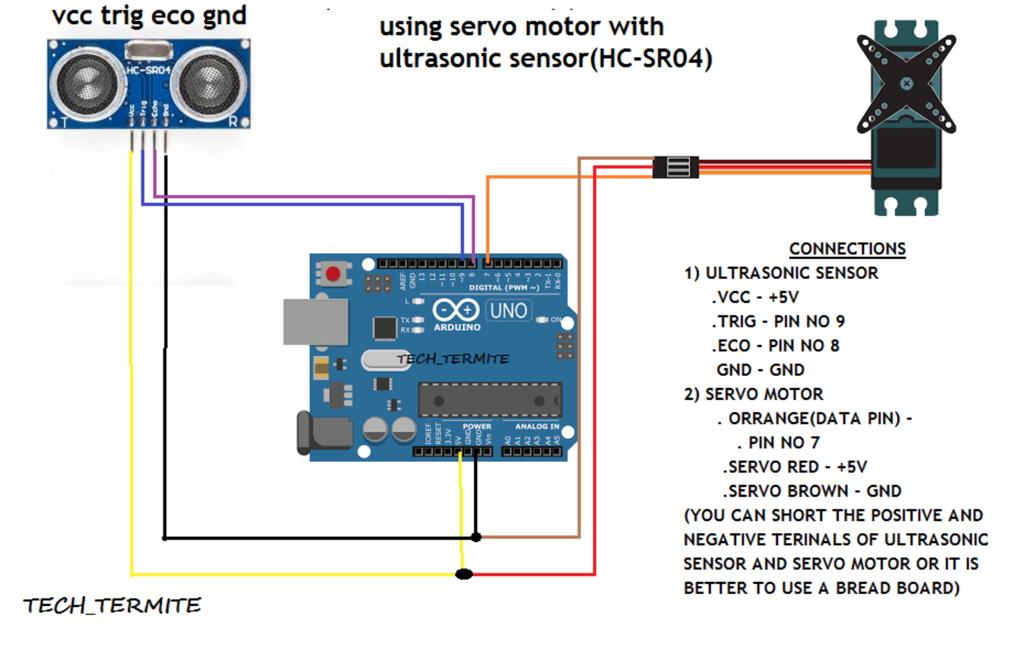
Correct wiring is essential for successful operation.
Ultrasonic Sensor Connections
| Ultrasonic Pin | Arduino Connection |
|---|---|
| VCC | 5V |
| Trigger | Pin 9 |
| Echo | Pin 10 |
| GND | Ground |
The Trigger pin sends ultrasonic waves, while the Echo pin receives the reflected signal.
Servo Motor Connections
| Servo Wire Color | Connection |
|---|---|
| Brown | GND |
| Red | 5V |
| Yellow | Pin 6 |
The servo motor receives control instructions through pin 6.
Common Ground
Both the ultrasonic sensor and servo motor share a common ground connection. This ensures stable communication between all components.
Programming the Smart Door System
The Smart Door System Using Arduino is programmed through the Arduino IDE.
The program performs the following tasks:
- Initializes the ultrasonic sensor.
- Measures object distance continuously.
- Compares the measured distance with a predefined threshold.
- Opens the door when an object enters the detection range.
- Closes the door when the object leaves the detection range.
The servo motor receives commands that rotate it between 0° and 90° depending on sensor readings.
This process demonstrates how sensors and actuators work together in automation projects.
Testing and Working of the Project
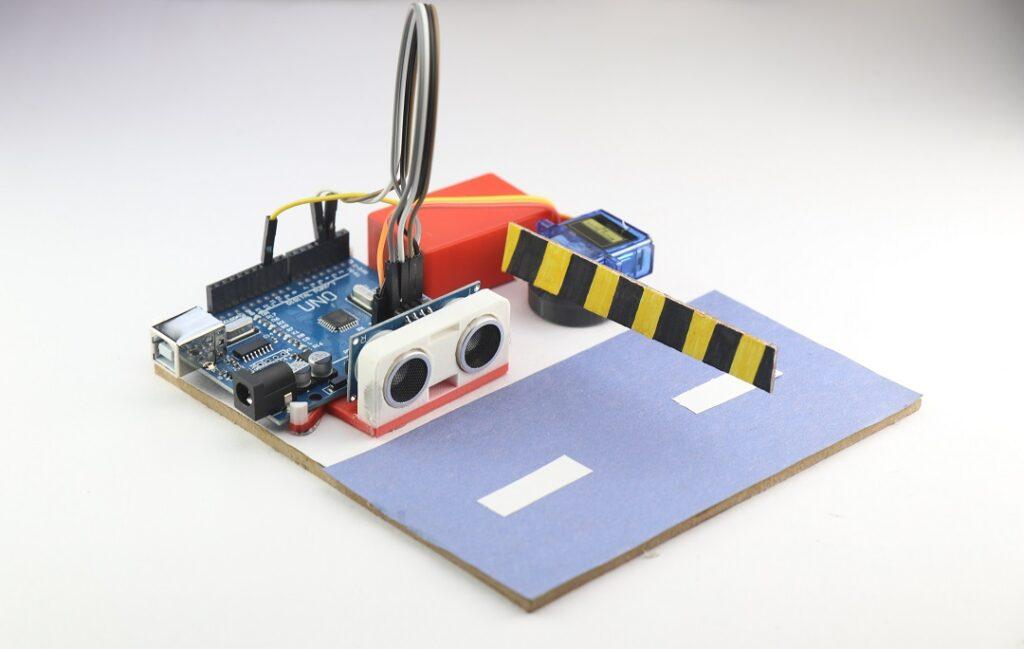
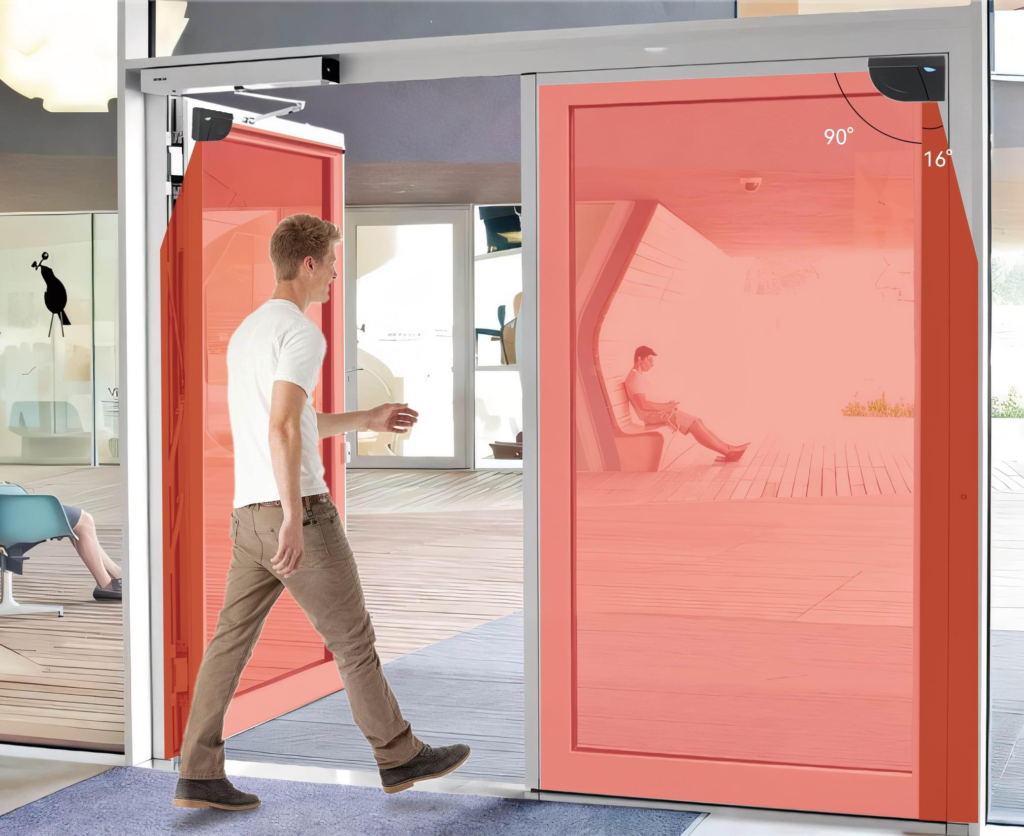
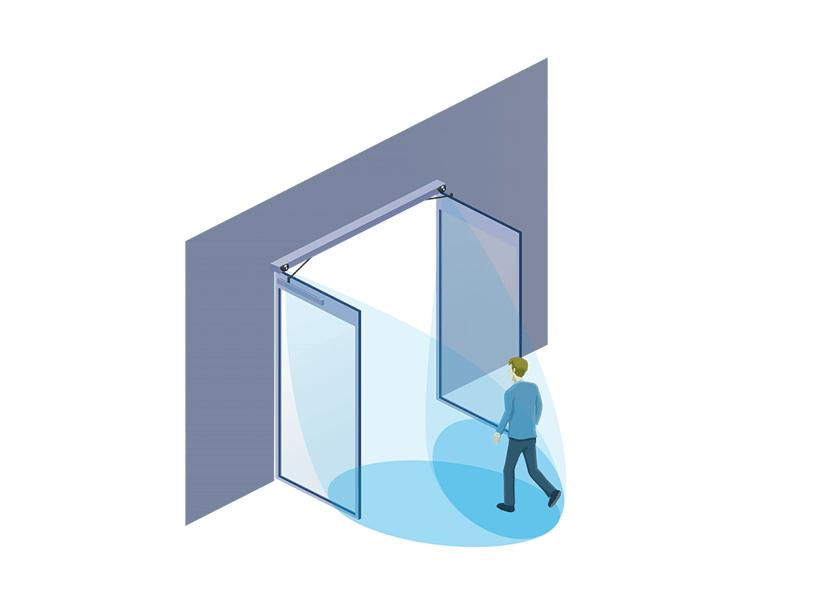
After completing the wiring and uploading the code, the system is ready for testing.
Step 1: Power the Arduino
Connect the Arduino board using a USB cable.
Step 2: Upload the Program
Verify and upload the code through Arduino IDE.
Step 3: Place an Object Near the Sensor
Move your hand or an object in front of the ultrasonic sensor.
Result
- Object detected → Servo rotates to 90° → Door opens.
- Object removed → Servo returns to 0° → Door closes.
The project successfully simulates an automatic door system used in modern buildings.
Benefits of Learning Through Smart Door Projects
The Smart Door System Using Arduino provides numerous educational benefits.
Introduces Automation Concepts
Students learn how intelligent systems respond automatically to environmental conditions.
Enhances Coding Skills
Programming logic and decision-making become easier to understand.
Improves Problem-Solving Ability
Students learn debugging and troubleshooting techniques.
Encourages Creativity
The project can be expanded into advanced automation systems.
Supports STEM Learning
Science, Technology, Engineering, and Mathematics are integrated into one practical activity.
Real-World Applications
The concepts used in the Smart Door System Using Arduino are widely applied in industry.
Automatic Sliding Doors
Commonly found in shopping malls and airports.
Smart Homes
Doors can automatically respond to residents and visitors.
Security Systems
Sensors help manage secure access to buildings.
Industrial Automation
Factories use automated gates and access systems.
Contactless Entry Systems
Hospitals and public buildings use touch-free access technology.
These applications demonstrate how a simple STEM project connects directly to real-world engineering solutions.
Grade 7 STEM Activities Using Arduino
After completing the Smart Door System Using Arduino project, students can explore additional Grade 7 STEM Activities:
- Traffic Light Simulation Using Tinkercad
- Servo Motor with Arduino
- LDR Sensor with Arduino
- ESP32 LDR Sensor Project
- Automatic Street Light System
- Smart Parking System
- Obstacle Detection Robot
These projects strengthen knowledge in robotics, electronics, coding, and automation.
RoboSiddhi STEM Learning Programs
RoboSiddhi encourages hands-on learning through project-based STEM education. Students gain practical experience in coding, robotics, electronics, artificial intelligence, and automation.
Projects like the Smart Door System Using Arduino help learners develop innovation, creativity, teamwork, and critical thinking skills while preparing for future careers in technology and engineering.
Through RoboSiddhi STEM programs, students learn by building real-world solutions rather than simply reading theoretical concepts.
Frequently Asked Questions
What is a Smart Door System Using Arduino?
It is an automation project that uses an ultrasonic sensor and servo motor to open and close a door automatically.
Which pins are used for the ultrasonic sensor?
Trigger is connected to Pin 9 and Echo is connected to Pin 10.
Which pin controls the servo motor?
The servo motor signal wire is connected to Pin 6.
Why is an ultrasonic sensor used?
The ultrasonic sensor detects nearby objects and measures distance.
Is this project suitable for beginners?
Yes. It is one of the best beginner-friendly Grade 7 STEM Activities for learning automation and robotics.
Conclusion
The Smart Door System Using Arduino is an excellent automation project that teaches students how sensors and actuators work together to create intelligent systems. By combining an ultrasonic sensor with a servo motor, learners can build an automatic door capable of responding to nearby objects in real time.
As one of the most engaging Grade 7 STEM Activities, this project develops coding skills, engineering knowledge, and problem-solving abilities. It also introduces students to real-world automation technologies used in smart homes, commercial buildings, and industrial systems. The project serves as a strong foundation for future learning in robotics, IoT, and advanced automation.