
The Python Print Statement and Comments are two of the most important concepts every beginner should learn. Whether you want to build games, websites, robots, or AI applications, understanding these basics will help you write clean and effective code.
In this guide, students will learn how to use the Python print statement to display output on the screen and how comments make code easier to understand and maintain.
Table of Contents
What is Python?
Python Print Statement and Comments Introduction
Python is one of the most popular programming languages in the world. It is used for:
- Game Development
- Website Development
- Artificial Intelligence
- Machine Learning
- Robotics
- Data Analysis
Python is easy to read and write, making it an excellent choice for school students who are beginning their coding journey.
Understanding the Python Print Statement and Comments
Python Print Statement and Comments Basics
The Python Print Statement and Comments help programmers communicate with both computers and other developers.
- The print statement displays output on the screen.
- Comments explain the code without affecting program execution.
Together, they form the foundation of beginner programming.
How the Print Statement Works
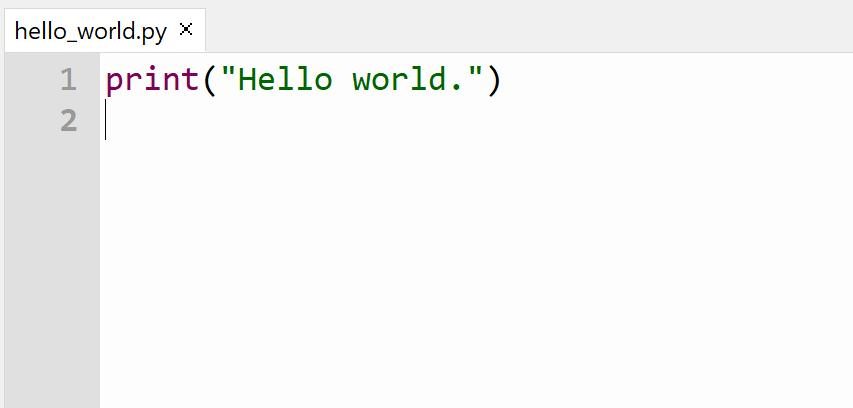
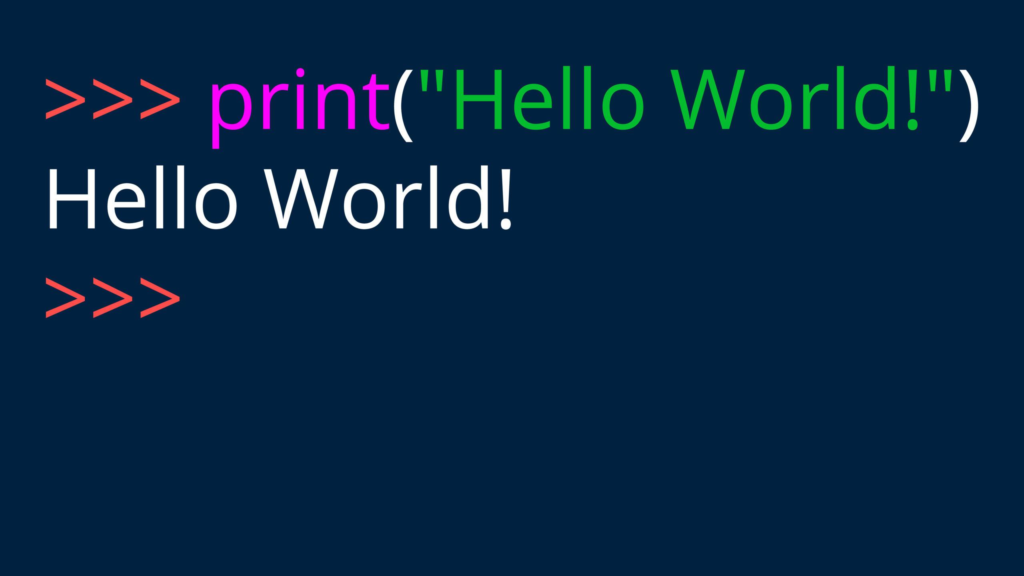
The print statement is used to show text or information on the screen.
Example
print("Hello World")
Output
Hello World
The text inside quotation marks is called a string.
You can print different messages:
print("My Name is Joy")
print("I Love Python")
print("Coding is Fun")
Each statement displays a message on a separate line.
Why Use Print Statements?
- Test your code
- Display results
- Interact with users
- Debug programs
The print statement is one of the most frequently used commands in Python.
Creating and Running Python Files
Python programs are saved using the .py extension.
Example
hello.py
Steps
- Open Thonny IDE.
- Create a new file.
- Write your code.
- Save the file with
.pyextension. - Click Run.
The output will appear in the console window.
Why Comments Are Important
Comments are notes written inside code.
Python ignores comments while running programs.
Comments start with the # symbol.
Example
# This is my first Python program
print("Hello World")
The comment explains the purpose of the code, but it does not appear in the output.
Comments are extremely useful when working on large projects.
Examples of Python Comments
Single-Line Comment
# Student Information
print("Joy")
Program Description
# Calculator Program
print("Addition")
Section Labels
# User Details
print("Name")
print("Class")
Using meaningful comments makes code easier to understand.
Benefits of Writing Clean Code
Good programmers write code that others can understand.
Benefits include:
- Easier debugging
- Better teamwork
- Faster maintenance
- Improved readability
- Reduced mistakes
In professional software development, comments help team members understand each other’s work.
RoboSiddhi Learning Experience
This lesson from RoboSiddhi introduced students to the Python print statement and comments through simple examples.
Students learned:
- Displaying messages using print()
- Saving Python files
- Running programs in Thonny
- Writing comments
- Improving code readability
The practical approach makes learning programming simple and engaging.
Practical YouTube Tutorial
Students can strengthen their understanding by practicing:
- Printing their name
- Printing their favorite subject
- Printing their school name
- Adding comments to every program
Hands-on coding practice is the best way to build confidence in Python programming.
🚀 Full Course: Python in English (Beginner to Advanced)
Conclusion
The Python Print Statement and Comments are among the first concepts every student should master. Print statements help display information, while comments help explain code and improve readability.
By practicing these concepts regularly, students can develop strong coding habits that will help them learn advanced Python topics such as variables, loops, functions, and object-oriented programming in the future.