
Learn how to build an Arduino MQ-2 Gas Sensor Project with a buzzer alarm system. This Grade 9 STEM Activities tutorial teaches gas leak detection using Arduino, MQ-2 sensor, and simple coding.
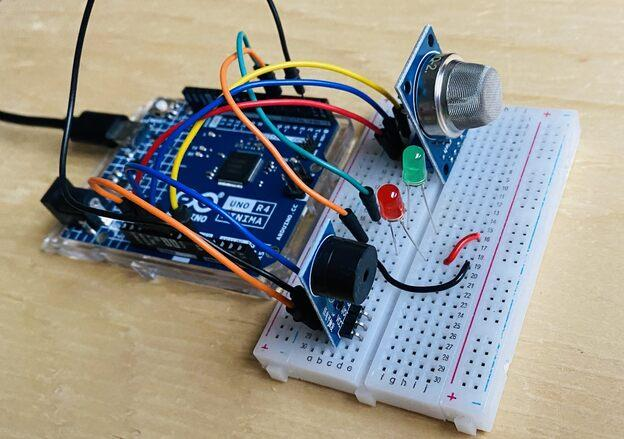
Arduino MQ-2 Gas Sensor Project with gas leak detection and buzzer alarm system.
Arduino MQ-2 Gas Sensor Project (Grade 9 STEM Activities)
Introduction
The Arduino MQ-2 Gas Sensor Project is an exciting and practical project for students interested in electronics, safety systems, and STEM learning. Gas sensors are widely used in homes, industries, hospitals, hotels, and mining operations to detect dangerous gas leaks before they become hazardous.
This project demonstrates how an Arduino Uno can work with an MQ-2 Gas Sensor to detect flammable gases such as LPG, methane, hydrogen, and butane. When the gas concentration exceeds a predefined threshold, a buzzer alarm is activated to alert nearby people.
The Arduino MQ-2 Gas Sensor Project is an excellent example of how technology can help improve safety and prevent accidents. It is also one of the most engaging Grade 9 STEM Activities because it combines electronics, programming, and real-world problem-solving.
Watch the Arduino MQ-2 Gas Sensor Project Tutorial
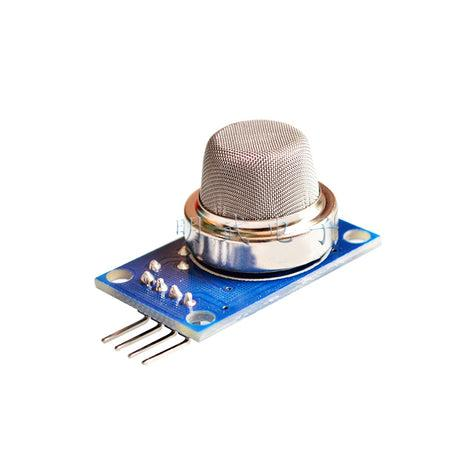
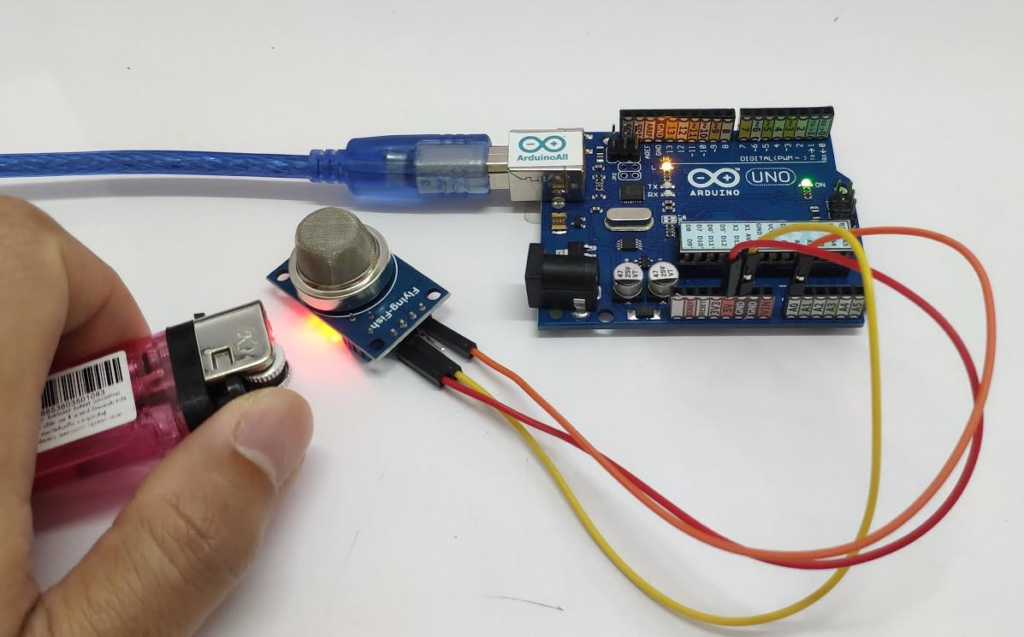
MQ-2 gas sensor used for detecting flammable gases and smoke.
Table of Contents
What is an MQ-2 Gas Sensor?
The MQ-2 Gas Sensor is a popular electronic sensor used for detecting flammable gases and smoke. It can detect:
- LPG (Liquefied Petroleum Gas)
- Methane
- Butane
- Hydrogen
- Smoke
- Other combustible gases
The sensor converts gas concentration into electrical signals that can be read by a microcontroller such as Arduino.
In this Arduino MQ-2 Gas Sensor Project, the sensor continuously monitors the surrounding air and sends readings to the Arduino board.
Components Required
To build this project, you need the following components:
| Component | Quantity |
|---|---|
| Arduino Uno | 1 |
| MQ-2 Gas Sensor | 1 |
| Buzzer | 1 |
| Jumper Wires | 4-5 |
| USB Cable | 1 |
| Computer/Laptop | 1 |
MQ-2 Gas Sensor Pin Configuration
The MQ-2 sensor module generally contains four pins:
| Pin | Function |
|---|---|
| VCC | Power Supply |
| GND | Ground |
| A0 | Analog Output |
| D0 | Digital Output |
For this project, we use the Analog Output (A0) because it provides more detailed gas concentration readings.
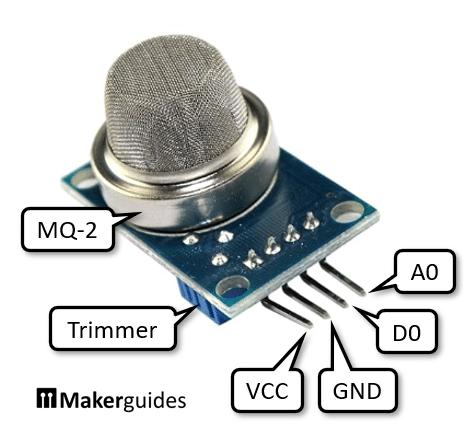
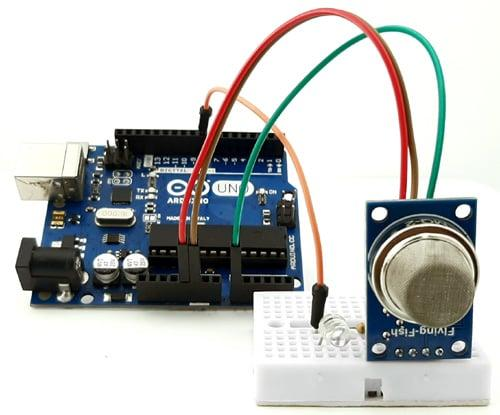
Pin configuration of the MQ-2 gas sensor connected to Arduino Uno.
Circuit Connections
Follow these wiring steps carefully:
MQ-2 Sensor Connections
- VCC → Arduino 5V
- GND → Arduino GND
- A0 → Arduino Analog Pin A0
Buzzer Connections
- Positive Terminal → Arduino Digital Pin 2
- Negative Terminal → Arduino GND
After completing the wiring, connect the Arduino board to your computer using a USB cable.
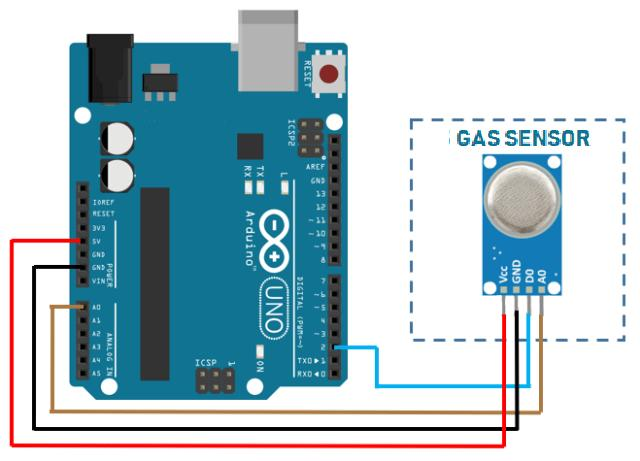
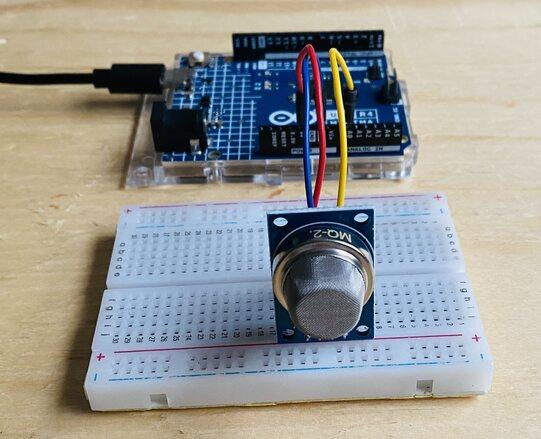
Circuit connections between Arduino Uno, MQ-2 gas sensor, and buzzer.
Arduino Code
Upload the following code to your Arduino board:
int gasPin = A0;
int buzzerPin = 2;

void setup() {

  Serial.begin(9600);

  pinMode(buzzerPin, OUTPUT);
}

void loop() {

  int gasValue = analogRead(gasPin);

  Serial.print("Gas Detection: ");
  Serial.println(gasValue);

  if(gasValue > 400){

    digitalWrite(buzzerPin, HIGH);
    delay(100);

    digitalWrite(buzzerPin, LOW);
    delay(500);

  }

  else{

    digitalWrite(buzzerPin, LOW);

  }

  delay(1000);
}
The code continuously reads gas sensor values and activates the buzzer whenever gas concentration exceeds the threshold value.
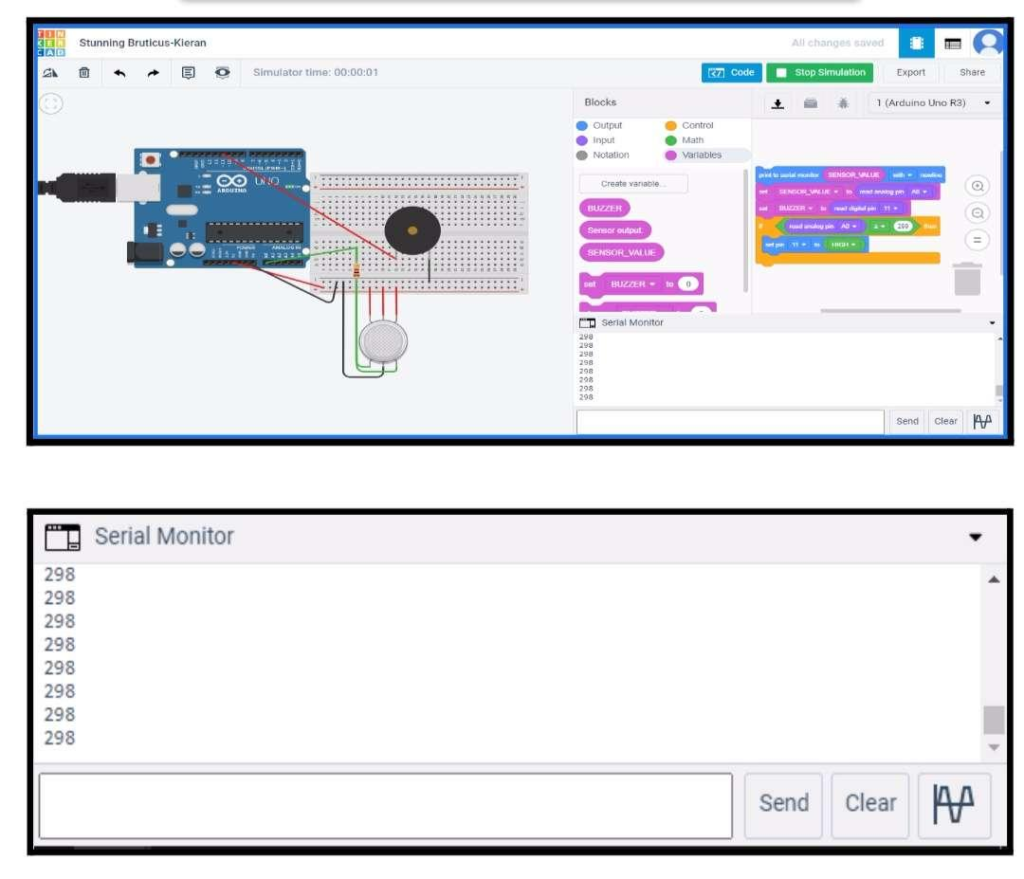
Arduino code used for gas detection and buzzer activation.
Working Principle
The Arduino MQ-2 Gas Sensor Project works on a simple principle.
- The MQ-2 sensor continuously senses the surrounding air.
- Gas concentration is converted into an analog value.
- Arduino reads this value using the analogRead() function.
- The value is displayed on the Serial Monitor.
- If the reading exceeds the threshold value of 400, the buzzer alarm turns ON.
- When gas levels return to normal, the buzzer turns OFF.
This creates a complete gas leak detection system.
Gas Detection with Buzzer Alarm
The buzzer acts as an audible warning device.
During testing, a lighter containing butane gas can be carefully brought near the sensor. As the gas reaches the MQ-2 sensor:
- Sensor values increase significantly.
- Arduino detects the change.
- The buzzer starts beeping.
- Users receive an immediate warning.
This feature makes the project useful for gas leak monitoring applications.
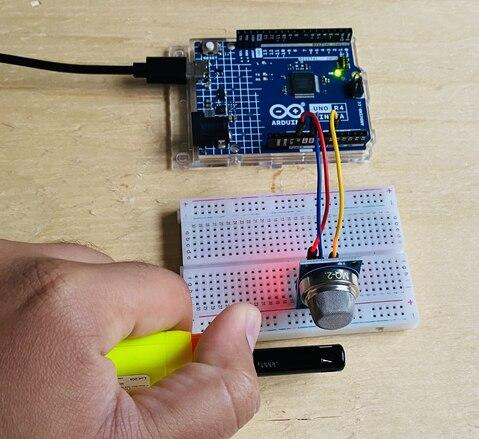
Buzzer activates automatically when gas concentration exceeds the safety threshold.
Output and Results
After uploading the code:
- Open Arduino IDE.
- Select Serial Monitor.
- Set baud rate to 9600.
You will observe readings like:
Gas Detection: 125
Gas Detection: 132
Gas Detection: 140
When gas is detected:
Gas Detection: 725
Gas Detection: 810
Gas Detection: 790
At higher values, the buzzer alarm starts sounding.
Real-World Applications
The Arduino MQ-2 Gas Sensor Project demonstrates technologies used in many industries.
Home Safety Systems
Detect LPG leaks from gas cylinders and stoves.
Industrial Plants
Monitor hazardous gases in factories.
Mining Operations
Identify dangerous underground gas concentrations.
Hospitals
Monitor air quality and safety conditions.
Smart Buildings
Integrate gas detection with automated alarm systems.
Fire Detection Systems
Detect smoke and combustible gases before emergencies occur.
Why Learn STEM Projects with RoboSiddhi?
At RoboSiddhi, we believe that students learn best through practical experiences. Our STEM projects are designed to make science, technology, engineering, and mathematics engaging and easy to understand.
The Arduino MQ-2 Gas Sensor Project is one of many hands-on activities that help students develop:
- Electronics skills
- Coding knowledge
- Problem-solving abilities
- Engineering thinking
- Innovation and creativity
Through project-based learning, RoboSiddhi helps students transform classroom concepts into real-world solutions.
Frequently Asked Questions
What gases can the MQ-2 sensor detect?
The MQ-2 sensor can detect LPG, methane, butane, hydrogen, smoke, and other combustible gases.
Why is the MQ-2 sensor used in STEM projects?
It is affordable, easy to use, and demonstrates real-world safety applications.
What is the threshold value used in this project?
The threshold value is set to 400, but it can be adjusted depending on environmental conditions.
Can the MQ-2 sensor detect smoke?
Yes, the sensor can detect smoke along with several flammable gases.
Is this project suitable for Grade 9 students?
Yes. It is an excellent Grade 9 STEM Activity because it teaches sensors, programming, and safety system design.
Conclusion
The Arduino MQ-2 Gas Sensor Project is a practical and educational STEM activity that introduces students to gas detection technology and safety systems. By combining an MQ-2 sensor, Arduino Uno, and a buzzer alarm, students can create a working gas leak detection system capable of providing early warnings during hazardous situations.
This project not only develops programming and electronics skills but also demonstrates how technology can be used to improve safety in homes, industries, and public spaces. It is a perfect project for beginners and an excellent addition to any Grade 9 STEM Activities program.
Explore more exciting Arduino projects, robotics activities, and STEM experiments with RoboSiddhi and continue your journey into the world of innovation and technology.