
Discover fun Grade 3 STEM activities with this introduction to the cayo Board. Learn about microcontrollers, LEDs, buzzers, switches, and how robotics boards work in STEM education.
Grade 3 STEM Activities: Introduction to cayo Board for Kids
Grade 3 STEM activities help children explore science, technology, engineering, and robotics through fun practical learning. STEM education encourages kids to understand how machines, electronics, and robots work in everyday life.
In this exciting Grade 3 STEM activities project, children are introduced to the cayo Board, a unique robotics and electronics board used in STEM learning and robotic projects.
The cayo Board works like the “brain” of a robot. It controls different electronic components such as LEDs, buzzers, and switches to help robots perform different tasks.
This beginner-friendly robotics lesson helps children understand basic electronics and microcontroller concepts in a simple and engaging way.
What is a cayo Board?
The cayo Board is a special microcontroller board used in robotics kits and STEM education projects.
Unlike many rectangular electronic boards, the cayo Board has a unique triangular shape that makes it easy to recognize.
The board contains:
LEDs
Buzzer
Buttons and switches
Type-C charging port
Microcontroller
The cayo Board helps children learn robotics, coding, and electronics through practical STEM activities.
Why is the cayo Board Important?
The cayo Board acts as the control center of a robot.
It helps:
- Control robot movements
- Manage sensors and LEDs
- Produce sounds using the buzzer
- Run coding and programming instructions
Learning about microcontroller boards is an important part of Grade 3 STEM activities because it introduces children to robotics and electronics basics.
Main Components of the cayo Board
Microcontroller
The microcontroller is the brain of the cayo Board.
It controls all robotic operations and electronic functions.
LEDs
The board contains multiple LED lights.
LED stands for Light Emitting Diode. These small lights act as indicators and glow when the board is powered on.
The LED lights help students understand how electronic signals work.
Buzzer
The buzzer produces sound alerts and beeping signals.
For example:
- Obstacle detection alerts
- Warning sounds
- Notification signals
Buttons and Switches
The cayo Board contains:
- Boot button
- Reset button
- Power switch
The power switch turns the board ON and OFF.
The boot and reset buttons are used for special programming functions and should not be pressed without guidance.
Type-C Port
The board contains a Type-C USB port.
This port is used for:
- Charging the robot
- Powering the board
- Connecting the board to a computer
How Does the cayo Board Work?
When the power switch is turned ON:
- The LEDs glow in a pattern
- The microcontroller starts working
- The board becomes ready for robotics activities
The microcontroller controls all connected components and allows students to perform robotics experiments and STEM projects.
Safety Tips While Using the cayo Board
This Grade 3 STEM activities project also teaches children basic electronics safety.
Important Safety Rules
Use the Type-C cable properly for charging
Do not touch the board with wet hands
Avoid touching the board with metal objects
Do not press the boot or reset buttons randomly
Use the Type-C cable properly for charging
These safety practices help protect the electronics components from damage.
STEM Learning Benefits
This Grade 3 STEM activities project helps children:
- Learn robotics basics
- Understand electronics components
- Explore microcontroller technology
- Improve logical thinking
- Develop curiosity and creativity
Hands-on robotics learning makes STEM education more exciting and practical for students.
RoboSiddhiwww.robosiddhi.com – Helping Kids Learn Robotics and STEM
Today, robotics education is becoming very important for children because practical STEM learning helps students understand technology better.
RoboSiddhi is a STEM and robotics learning platform that provides:
- Robotics kits
- Electronics components
- STEM activity materials
- Beginner robotics boards
- Sensors, LEDs, motors, and batteries
- DIY science project tools
RoboSiddhi helps children:
- Explore robotics and electronics
- Learn STEM concepts practically
- Build engineering projects
- Develop innovation and creativity
- Improve problem-solving skills
Students can easily find robotics kits and STEM learning materials for Grade 3 STEM activities and school science projects.
Why Robotics Labs Are Important in Schools
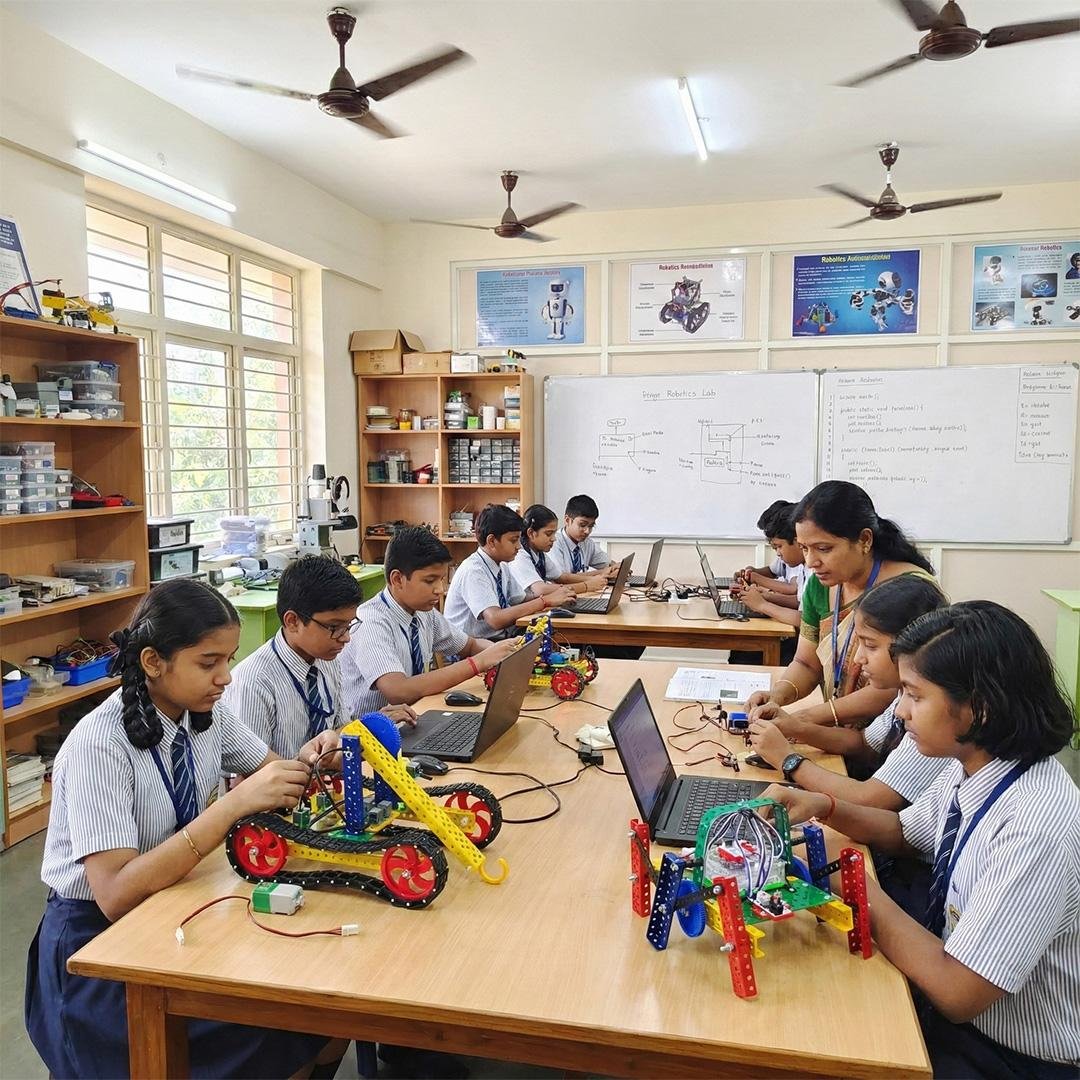
Robotics labs help children learn science and technology through practical activities instead of only reading textbooks.
A robotics lab helps students:
Develop confidence through projects
Improve creativity and innovation
Learn teamwork and communication
Build engineering and coding skills
Understand electronics practically
Hands-on robotics education prepares students for future careers in:
Robotics
Artificial Intelligence
Engineering
Technology
Computer Science
Try Robotics Learning at Home
Children can begin robotics learning at home using beginner robotics boards and STEM kits.
Simple activities with LEDs, buzzers, and switches help children understand electronics in a fun and safe way.
This makes Grade 3 STEM activities more interactive and enjoyable for young learners.
Final Thoughts
Grade 3 STEM activities help children become curious learners and future innovators. This introduction to the cayo Board teaches children about robotics, electronics, LEDs, buzzers, switches, and microcontrollers through simple practical learning.
Understanding how a robotics board works is an excellent first step into the world of STEM education and robotics engineering.
Hands-on projects like this make science, coding, and technology exciting and easy to understand for children.