
Python Operators for Grade 5 are one of the most exciting concepts in beginner programming. Operators help us perform mathematical calculations, compare values, and create useful programs such as calculators. In this lesson, students learn how to use arithmetic operators to add, subtract, multiply, divide, and solve real-world problems using Python.
If you have already learned variables, data types, print statements, comments, and user input, then operators are the next important step in your Python learning journey.
Table of Contents
What Are Python Operators?
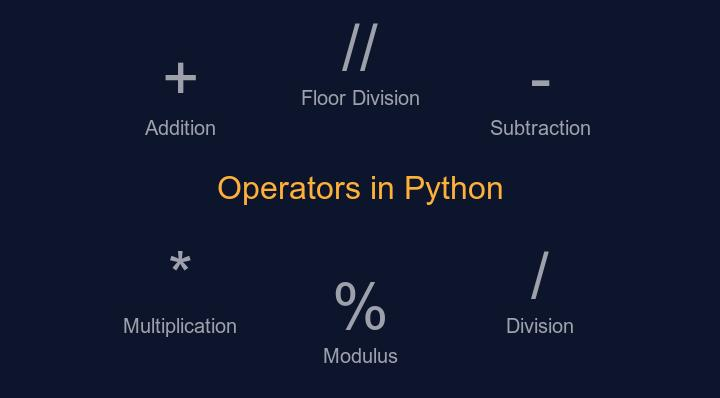
Operators are special symbols that tell Python to perform a specific action.
For example:
a = 10
b = 5

print(a + b)
Output:
15
In this example, the + operator tells Python to add two numbers together.
Operators make calculations faster and allow programmers to create useful applications.
Why Are Operators Important?
Imagine creating:
- A calculator app
- A game scoring system
- A shopping bill calculator
- A school marks calculator
All of these programs need mathematical operations. This is where Python operators become useful.
Benefits of learning operators:
- Improves logical thinking
- Helps solve mathematical problems
- Builds a foundation for advanced programming
- Makes programs interactive and useful
Types of Arithmetic Operators
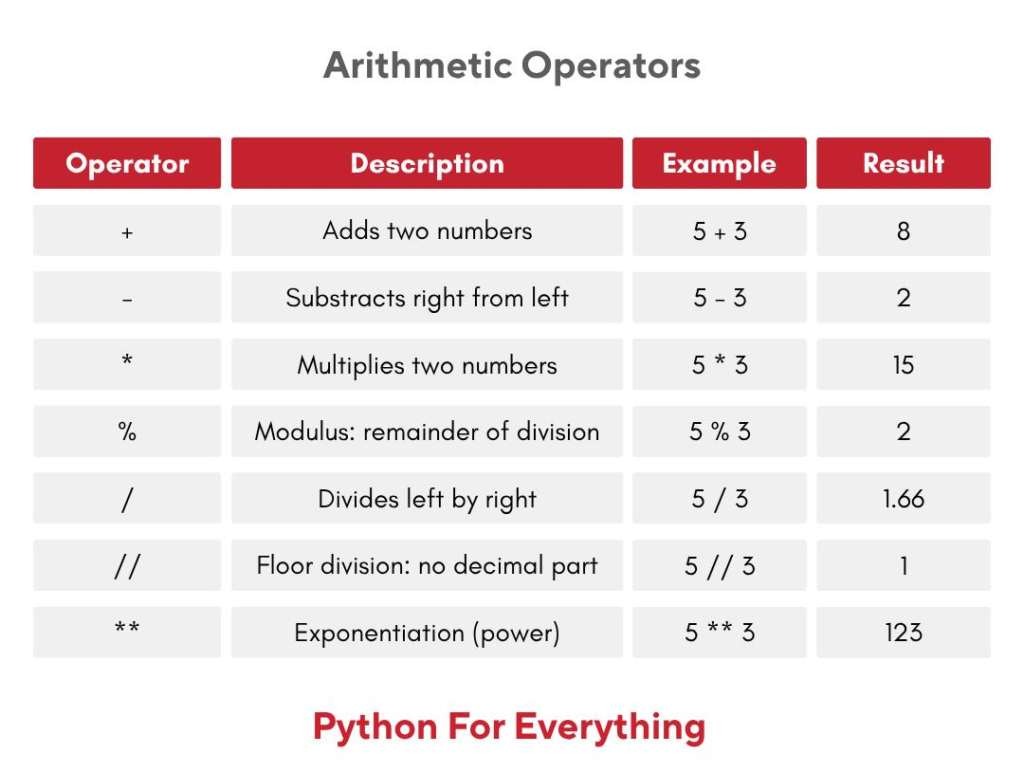
The following arithmetic operators were introduced in this class:
| Operator | Symbol | Purpose |
|---|---|---|
| Addition | + | Adds two numbers |
| Subtraction | – | Subtracts numbers |
| Multiplication | * | Multiplies numbers |
| Division | / | Divides numbers |
| Floor Division | // | Returns whole-number quotient |
| Modulus | % | Returns remainder |
| Exponent | ** | Raises a number to a power |
These are the most commonly used operators in beginner Python programming.
Python Operators for Grade 5 Examples
1. Addition Operator (+)
a = 10
b = 5

print(a + b)
Output:
15
Addition combines two values together.
2. Subtraction Operator (-)
a = 10
b = 5

print(a - b)
Output:
5
Subtraction finds the difference between numbers.
3. Multiplication Operator (*)
a = 10
b = 5

print(a * b)
Output:
50
Multiplication increases a value by repeated addition.
4. Division Operator (/)
a = 15
b = 4

print(a / b)
Output:
3.75
Division provides the exact answer including decimal values.
5. Floor Division Operator (//)
a = 15
b = 4

print(a // b)
Output:
3
Floor division removes the decimal portion and keeps only the whole number.
6. Modulus Operator (%)
a = 15
b = 4

print(a % b)
Output:
3
The modulus operator returns the remainder after division.
7. Exponent Operator (**)
a = 2
b = 3

print(a ** b)
Output:
8
Exponent means raising a number to a power.
Creating a Simple Calculator
One of the best ways to understand Python Operators for Grade 5 is by creating a calculator.
Example Program
number1 = int(input("Enter first number: "))
number2 = int(input("Enter second number: "))

print("Addition:", number1 + number2)
print("Subtraction:", number1 - number2)
print("Multiplication:", number1 * number2)
print("Division:", number1 / number2)
print("Remainder:", number1 % number2)
Sample Output:
Enter first number: 5
Enter second number: 4

Addition: 9
Subtraction: 1
Multiplication: 20
Division: 1.25
Remainder: 1
This simple project helps students understand how operators work in real applications.
Real-Life Uses of Operators
Operators are used everywhere in technology.
In Schools
- Calculating marks
- Finding percentages
- Computing averages
In Games
- Calculating scores
- Tracking player points
- Managing health levels
In Shopping Apps
- Adding product prices
- Applying discounts
- Calculating taxes
In Banking Applications
- Calculating balances
- Tracking transactions
- Computing interest
Learning operators today helps students build bigger projects tomorrow.
Common Beginner Mistakes
When learning Python operators, students often make small mistakes.
Writing Multiple Assignments on One Line
Incorrect:
a = 15
b = 4
Correct:
a = 15
b = 4
Forgetting Print Statements
If you do not use print(), Python may not show any output.
Using the Wrong Operator
Many beginners confuse:
/
with
//
Remember:
/gives decimal answers.//gives whole-number answers.
Practice Activity
Try the following challenge:
- Take two numbers from the user.
- Display:
- Addition
- Subtraction
- Multiplication
- Division
- Modulus
- Add comments explaining each operation.
This activity strengthens understanding of arithmetic operators and user input together.
Frequently Asked Questions
What are operators in Python?
Operators are symbols used to perform mathematical calculations and comparisons.
Which operator is used for addition?
The plus (+) operator.
What does the modulus operator do?
It returns the remainder after division.
What is floor division?
Floor division (//) removes the decimal part and returns only the whole number.
Why are operators important?
They help programmers perform calculations and build useful applications.
YouTube Tutorial Section
Watch the practical classroom tutorial that explains Python operators, arithmetic calculations, and calculator projects step-by-step. Follow along with the examples and practice the exercises shown in the lesson.
Recommended Learning Sequence:
- Python Basics
- Print Statements
- Variables and Data Types
- User Input
- Python Operators
- Conditional Statements
🚀 Full Course: Python in English (Beginner to Advanced)
Why Learn Python with RoboSiddhi?
At RoboSiddhi, we make coding simple, practical, and fun for students of all grades. Our Python classes focus on hands-on learning through real projects, interactive exercises, and easy-to-understand explanations.
With RoboSiddhi students can:
Learn programming step-by-step from basics to advanced concepts
Build real-world projects like calculators, games, and automation tools
Develop logical thinking and problem-solving skills
Explore exciting technologies such as Robotics, Artificial Intelligence, and IoT
Practice coding through guided assignments and challenges
Whether you are just starting your coding journey or looking to improve your programming skills, RoboSiddhi provides the perfect learning environment to grow and innovate.
Explore More Learning Resources:
- Python Basics for Beginners
- Variables and Data Types in Python
- User Input in Python
- Conditional Statements in Python
- Robotics and STEM Learning Programs
About RoboSiddhi
RoboSiddhi is a leading STEM and Robotics education platform dedicated to empowering students with future-ready skills. Through Robotics, Python Programming, Arduino, IoT, Artificial Intelligence, and hands-on project-based learning, RoboSiddhi helps learners transform ideas into innovation.
Our mission is to make technology education accessible, engaging, and practical for students from Grade 1 to Grade 12.
Call to Action
🚀 Ready to start your coding journey?
Join RoboSiddhi’s Python Programming Program and begin building your first projects today. Learn, create, and innovate with expert guidance and hands-on activities designed specifically for young learners.
Conclusion
Python Operators for Grade 5 provide the foundation for mathematical programming. Students learn how to perform addition, subtraction, multiplication, division, modulus, floor division, and exponent operations using simple Python code.
By practicing these concepts and building a simple calculator project, learners develop problem-solving skills and gain confidence in programming. Mastering operators is an important milestone before moving on to decision-making, loops, and more advanced Python concepts.