
Table of Contents
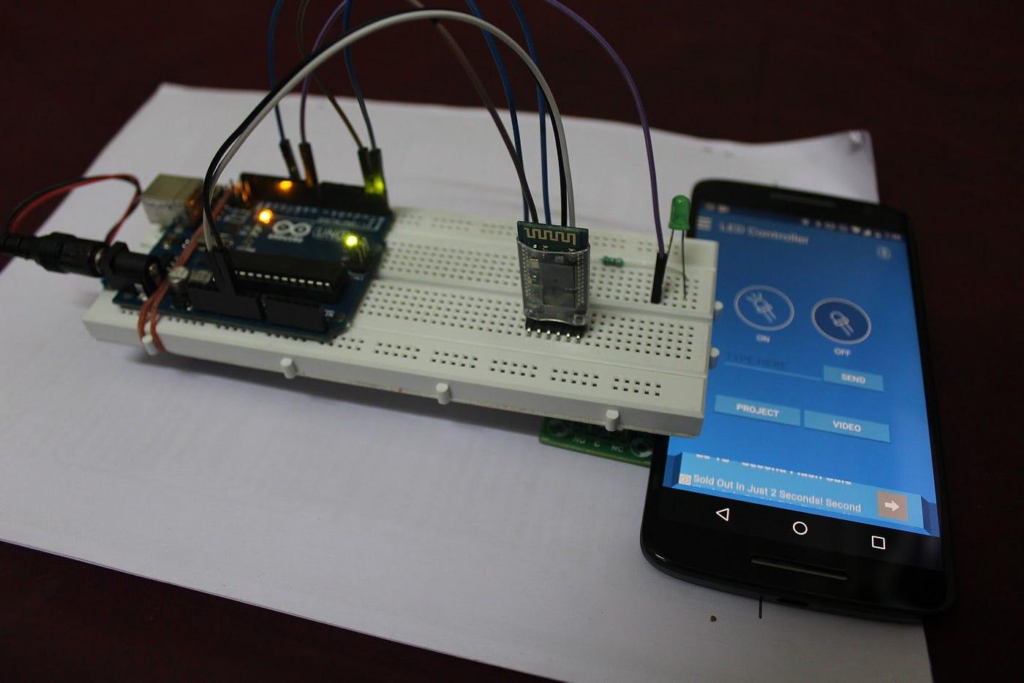
Introduction to Bluetooth Home Automation Using Arduino
Bluetooth Home Automation Using Arduino is one of the most exciting Grade 8 STEM Activities that introduces students to wireless communication, electronics, and automation technology. In this project, an HC05 Bluetooth module communicates with an Arduino board, allowing users to control an LED wirelessly through a smartphone application.
Modern homes are increasingly becoming smarter through automation systems. Lights, fans, security devices, and appliances can now be controlled remotely using smartphones. This project demonstrates the basic concept behind such technologies using simple components and Arduino programming.
By building this Bluetooth Home Automation Using Arduino project, students gain practical experience in electronics, coding, wireless communication, and embedded systems.
What is Home Automation?
Home automation refers to controlling electrical devices automatically or remotely using communication technologies such as Bluetooth, Wi-Fi, or the Internet.
Benefits of home automation include:
- Increased convenience
- Energy efficiency
- Improved safety
- Remote control capability
- Smart device integration
Bluetooth Home Automation Using Arduino provides a beginner-friendly introduction to these concepts.
Understanding the HC05 Bluetooth Module
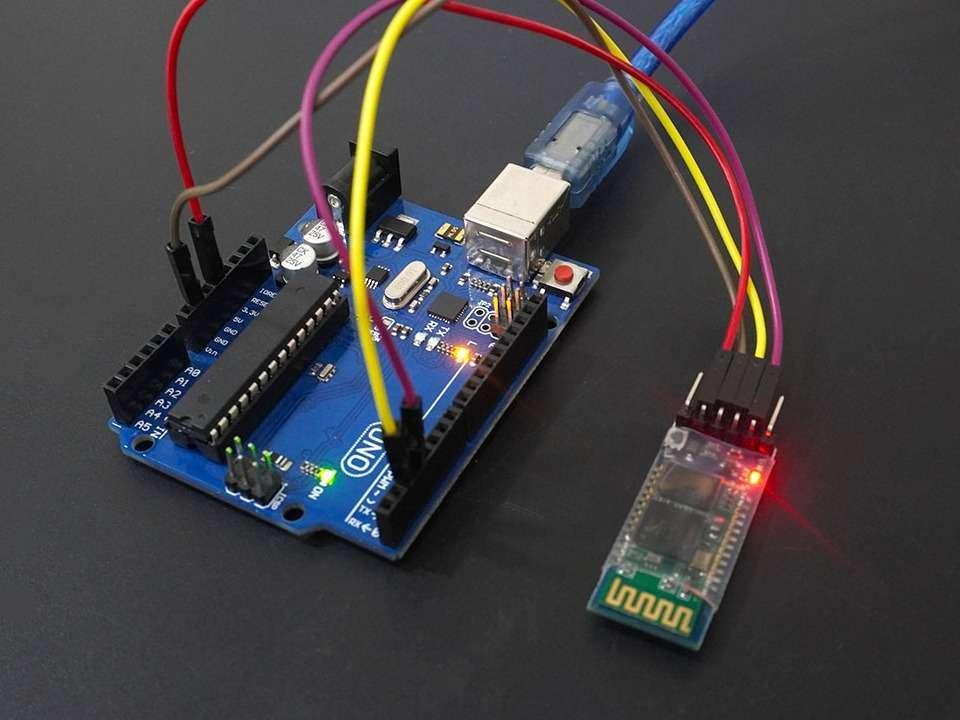
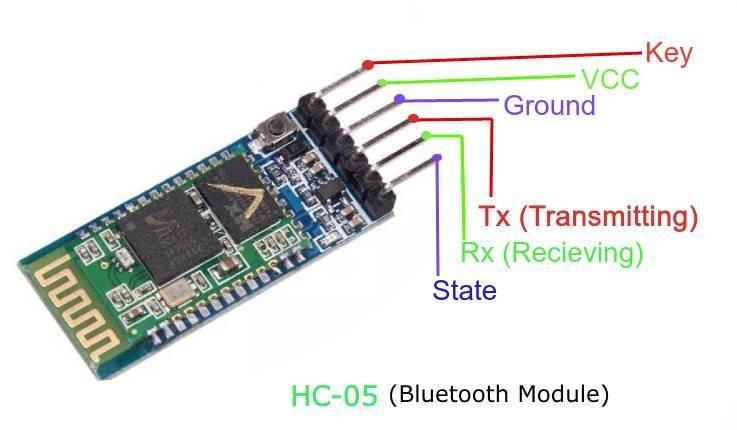
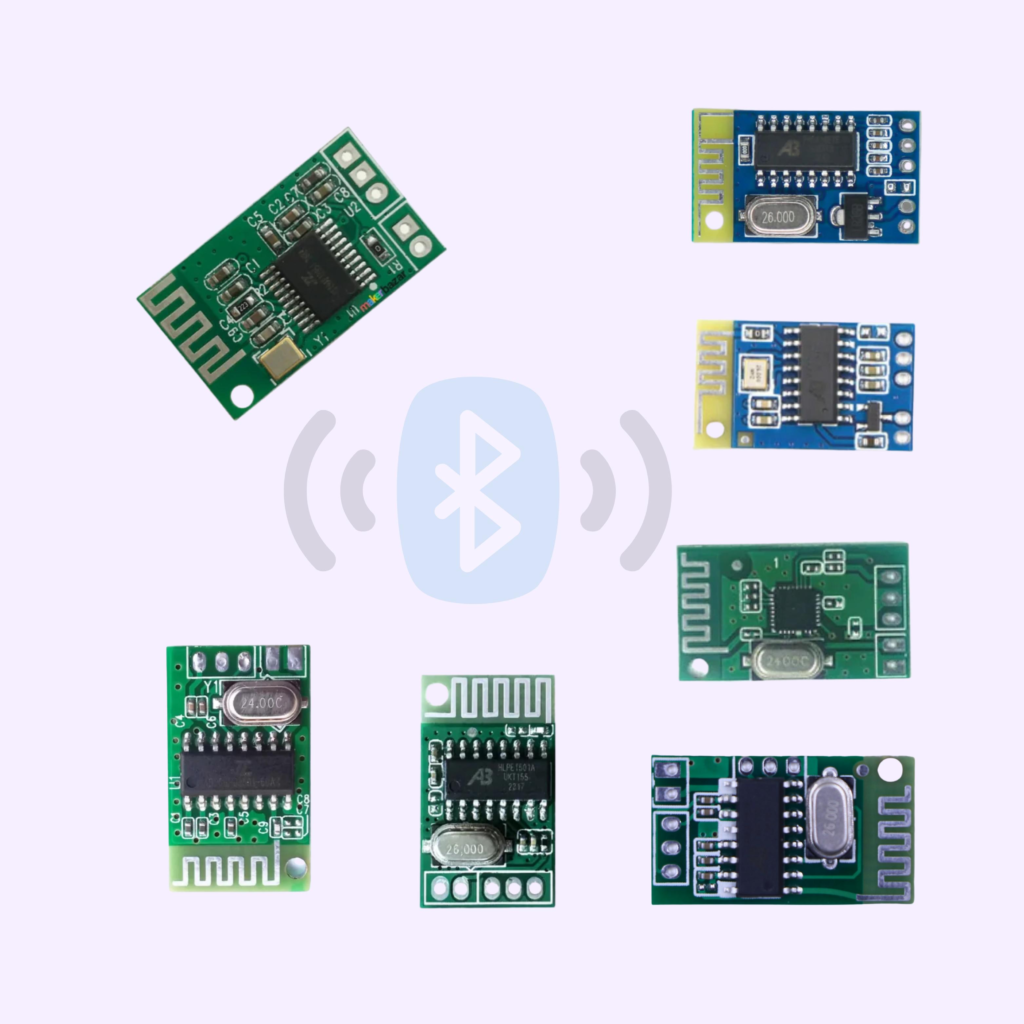
The HC05 Bluetooth module is a wireless communication device commonly used with Arduino projects.
Its primary function is to establish communication between a smartphone and a microcontroller.
Features of HC05
- Wireless communication
- Easy Arduino integration
- Low power consumption
- Supports Android applications
- Reliable short-range connectivity
The HC05 module receives commands from a smartphone and transfers them to the Arduino for processing.
Components Required
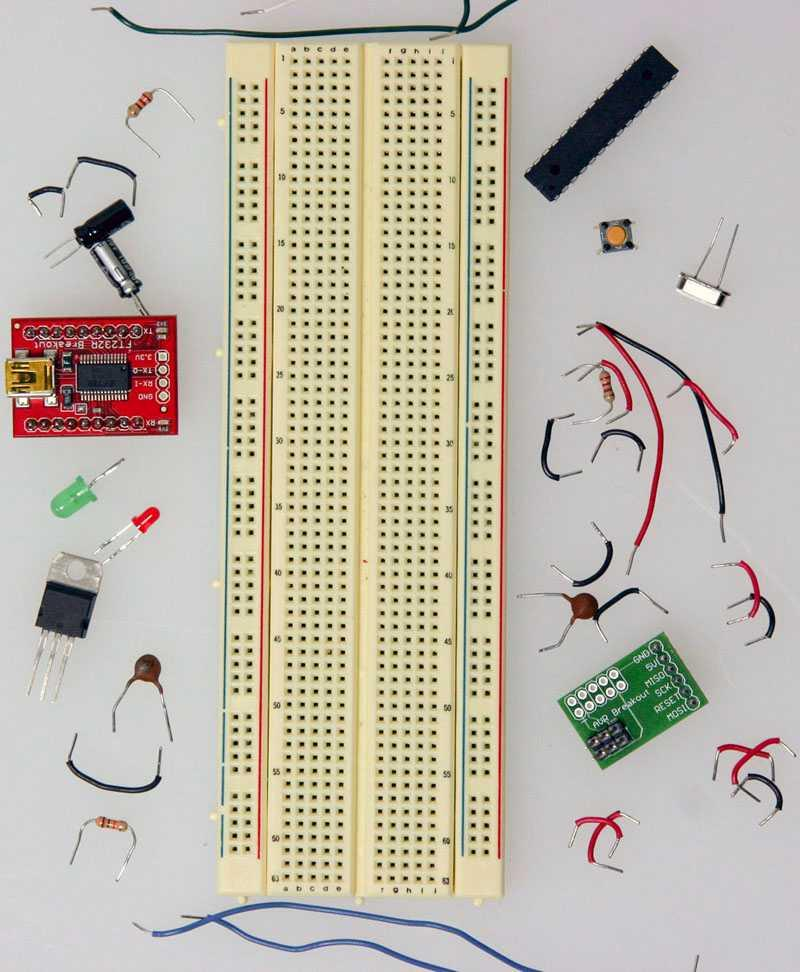
The Bluetooth Home Automation Using Arduino project requires:
- Arduino Uno Board
- HC05 Bluetooth Module
- LED
- Resistor
- Breadboard
- Jumper Wires
- USB Cable
- Arduino IDE
- Smartphone with Bluetooth Control App
These components are affordable and commonly available in STEM and robotics laboratories.
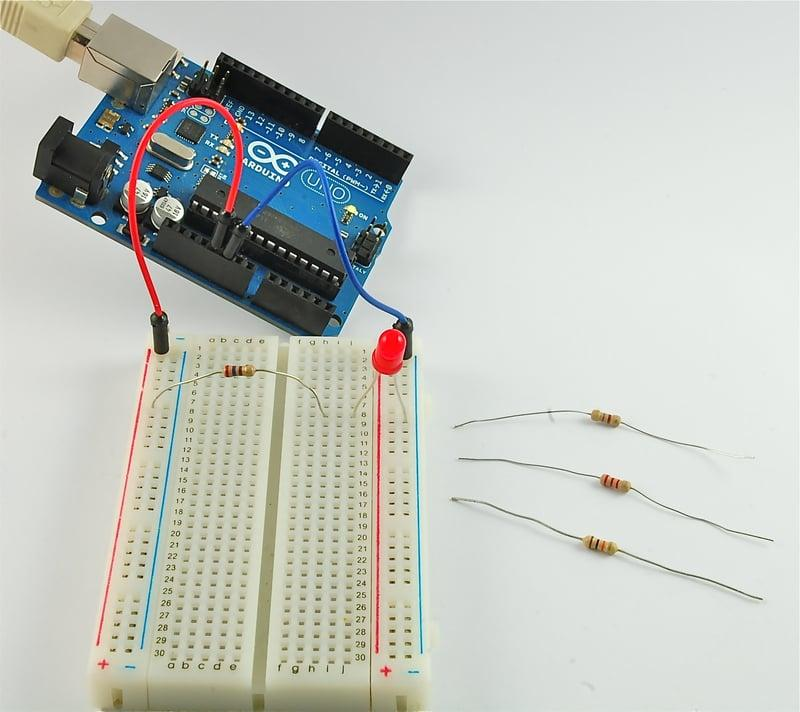
Bluetooth Home Automation Using Arduino Circuit Design
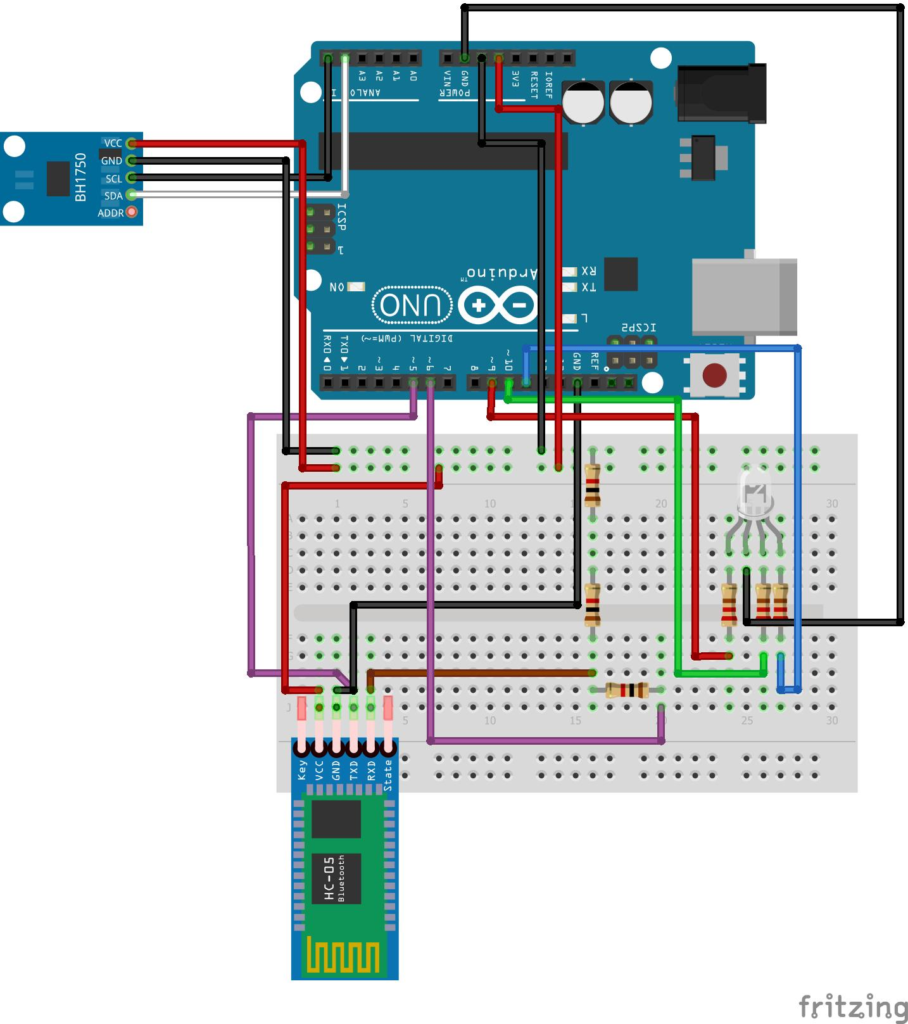
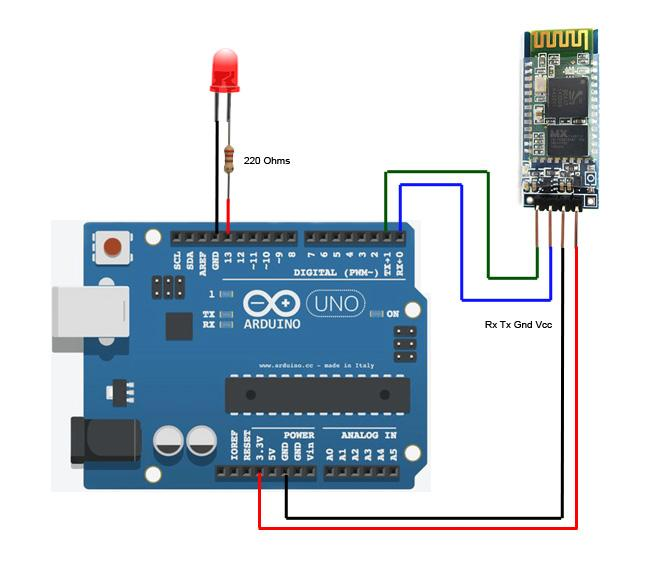
Proper circuit connections are essential for successful communication.
HC05 Bluetooth Module Connections
| HC05 Pin | Arduino Connection |
|---|---|
| VCC | 5V |
| GND | GND |
| TX | Pin 2 |
| RX | Pin 3 |
LED Connections
| Component | Connection |
|---|---|
| LED Positive | Pin 9 through resistor |
| LED Negative | GND |
The resistor protects the LED from excessive current and improves circuit reliability.
Working Principle of the Project
The working of Bluetooth Home Automation Using Arduino is simple yet powerful.
Step 1: Bluetooth Pairing
The HC05 module pairs with a smartphone via Bluetooth.
Step 2: Command Transmission
The smartphone application sends ON or OFF commands.
Step 3: Arduino Processing
Arduino receives these commands through the HC05 module.
Step 4: Output Control
Arduino activates or deactivates the LED connected to Pin 9.
This creates a wireless lighting control system similar to real smart home applications.
Arduino Programming for Bluetooth Control
The Arduino code contains two important sections:
Setup Function
The setup function initializes communication and configures output pins.
Important tasks include:
- Defining LED pin
- Initializing Bluetooth communication
- Configuring pin modes
Loop Function
The loop continuously checks incoming Bluetooth commands.
When a command is received:
- “ON” command → LED turns ON
- “OFF” command → LED turns OFF
The loop repeats continuously, allowing real-time wireless control.
Advantages of Bluetooth Home Automation
Wireless Control
Devices can be operated without physical switches.
Easy Implementation
Bluetooth communication is simple for beginners to understand.
Low Cost
The HC05 module is affordable and widely available.
Educational Value
Students learn:
- Arduino programming
- Serial communication
- Wireless technology
- Circuit design
Foundation for Smart Projects
This project serves as a starting point for advanced IoT and automation systems.
Real-World Applications
Bluetooth Home Automation Using Arduino concepts are used in:
Smart Lighting Systems
Remote control of home lighting.
Smart Appliances
Wireless operation of household devices.
Security Systems
Bluetooth-enabled access control systems.
Classroom Automation
Controlling educational devices wirelessly.
Robotics
Wireless robot control using mobile applications.
Industrial Automation
Monitoring and controlling machinery remotely.
These applications demonstrate the importance of wireless communication in modern technology.
Grade 8 STEM Activities with Arduino
After completing Bluetooth Home Automation Using Arduino, students can explore additional Grade 8 STEM Activities:
- LED Brightness Control Using PWM
- Arduino LED Blink Using For Loop
- Traffic Light Simulation Using Arduino
- Smart Door System Using Ultrasonic Sensor
- Servo Motor Control Projects
- LDR Sensor Automation
- ESP32 Smart Lighting Systems
- Obstacle Avoidance Robot
- Bluetooth-Controlled Robotics
These projects improve problem-solving, logical thinking, and engineering skills.
RoboSiddhi STEM Learning Programs
RoboSiddhi provides hands-on STEM education through robotics, electronics, coding, and automation projects.
Students learn by building practical systems rather than simply studying theoretical concepts. Projects like Bluetooth Home Automation Using Arduino help learners understand modern technology while developing critical technical skills.
RoboSiddhi programs encourage creativity, innovation, teamwork, and future-ready engineering skills.
Frequently Asked Questions
What is HC05 Bluetooth Module?
HC05 is a wireless communication module used to connect Arduino with smartphones and other Bluetooth-enabled devices.
Can Arduino control devices using Bluetooth?
Yes. Arduino can receive commands through HC05 and control LEDs, motors, relays, and other devices.
Why is a resistor used with the LED?
The resistor limits current and protects the LED from damage.
Is this project suitable for beginners?
Yes. Bluetooth Home Automation Using Arduino is ideal for students starting with wireless communication and Arduino programming.
What can be controlled using Bluetooth?
Lights, fans, motors, robots, sensors, and many automation devices can be controlled using Bluetooth.
Conclusion
Bluetooth Home Automation Using Arduino is a practical and engaging project that introduces students to wireless communication and smart technology. By combining Arduino programming, HC05 Bluetooth communication, and LED control, learners gain valuable experience in automation systems.
As one of the most effective Grade 8 STEM Activities, this project helps students understand how modern smart homes operate while building strong foundations in electronics, coding, and engineering. The knowledge gained from this activity can be expanded into more advanced robotics, IoT, and automation projects in the future.