
Introduction
The Python Grading System Project is an excellent beginner-friendly programming activity that teaches students how to use conditional statements in Python. This project helps students understand how schools assign grades based on marks and demonstrates how the same process can be automated using programming.
In this Python Grading System Project, students enter their marks, and the program automatically assigns a grade using if, elif, and else statements. The project introduces important concepts such as classes, objects, user input, and decision-making logic.
As part of Grade 9 STEM Activities, this project encourages logical thinking, problem-solving, and hands-on coding practice.

Student learning Python programming concepts through the Python Grading System Project.
Table of Contents
What is a Python Grading System?
A grading system is used to evaluate student performance based on marks obtained in examinations.
The Python Grading System Project automates this process by checking marks against predefined grading criteria and displaying the corresponding grade.
Instead of manually determining grades, the program performs the evaluation instantly and accurately.
Learning Objectives
By completing this Python Grading System Project, students will learn:
- Conditional Statements (
if,elif,else) - Classes and Objects
- User Input Handling
- Decision-Making Logic
- Object-Oriented Programming Basics
- Python Programming Fundamentals
- Problem-Solving Skills
These concepts form an important foundation for future programming projects.
Software Requirements
This project requires only software tools.
| Software | Purpose |
|---|---|
| Python | Programming Language |
| VS Code | Writing and Running Code |
| Computer/Laptop | Project Development |
Students may also use Python IDLE, PyCharm, or Thonny IDE.
Understanding Conditional Statements
Conditional statements allow a program to make decisions based on specific conditions.
if Statement
The if statement checks the first condition.
if marks >= 95:
elif Statement
The elif statement checks additional conditions if the previous condition is false.
elif marks >= 90:
else Statement
The else statement executes when none of the previous conditions are true.
else:
These statements are the core of the Python Grading System Project.
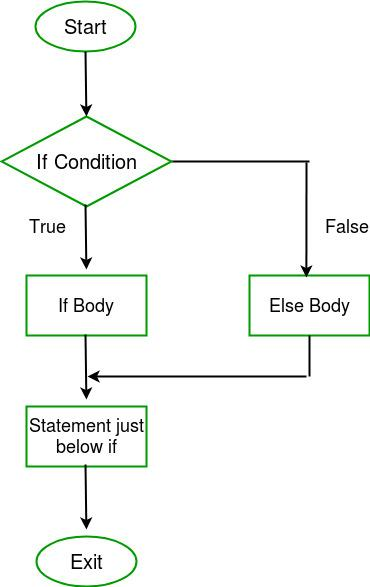
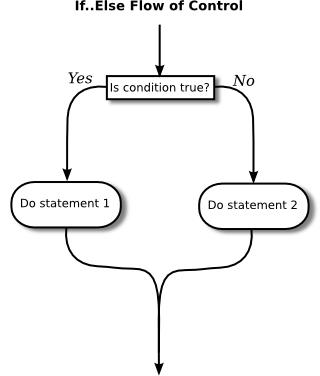
Flowchart illustrating how if, elif, and else conditions determine grades in the Python Grading System Project.
Project Algorithm
Follow these simple steps:
Step 1
Create a Student class.
Step 2
Accept marks as input from the user.
Step 3
Use conditional statements to check the marks range.
Step 4
Assign grades based on the conditions.
Step 5
Display the grade.
Step 6
Test the program with different marks.
Python Grading System Project Code
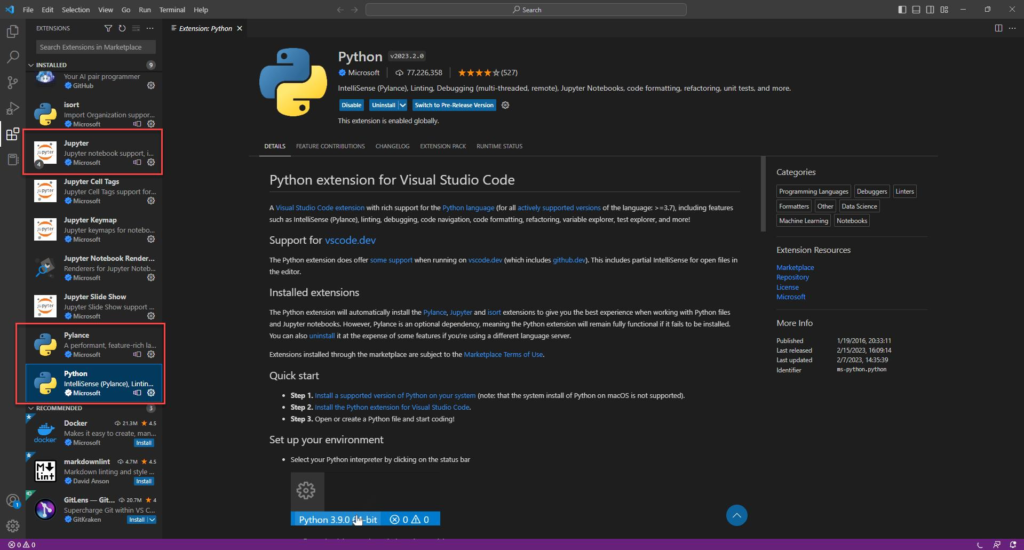
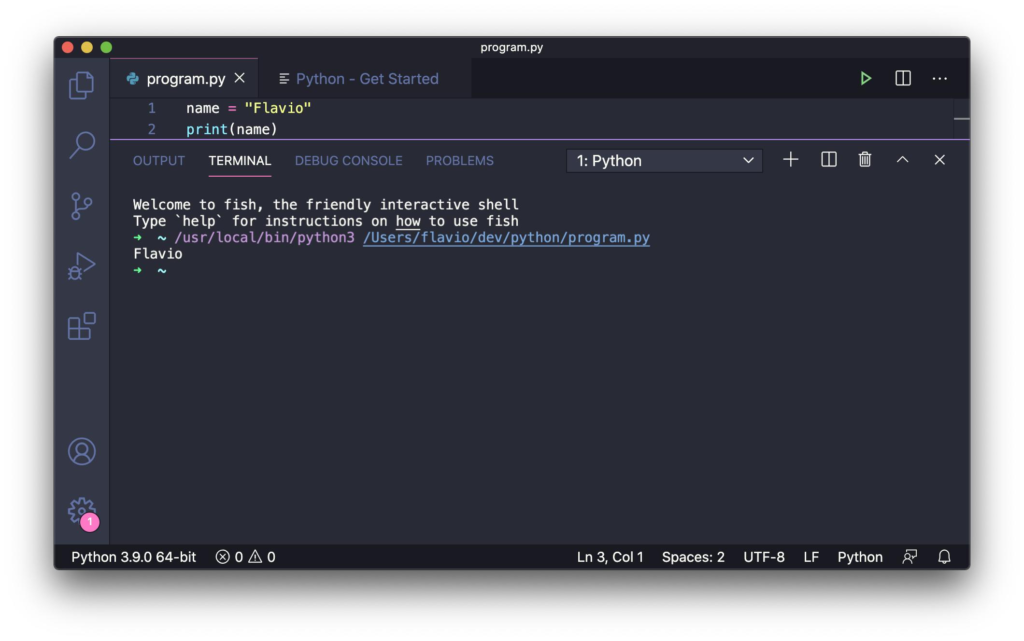
Python code implementing a grading system using classes and conditional statements.
class Student:
def calculate_grade(self, marks):
if marks >= 95:
return “A+”
elif marks >= 90:
return “A”
elif marks >= 80:
return “B”
elif marks >= 65:
return “C”
else:
return “D”
student = Student()
marks = int(input(“Enter Marks: “))
grade = student.calculate_grade(marks)
print(“Grade:”, grade)
Code Explanation
Creating the Class
class Student:
A Student class is created to organize the grading logic.
Creating the Method
def calculate_grade(self, marks):
This method receives marks and determines the grade.
Checking Marks
if marks >= 95:
The program checks whether the marks meet the highest grade requirement.
Additional Conditions
elif marks >= 90:
The program continues checking other grading ranges.
Default Condition
else:
If none of the conditions are satisfied, a lower grade is assigned.
Displaying Output
print("Grade:", grade)
The final grade is displayed to the user.
Sample Output
Example 1
Enter Marks: 99
Grade: A+
Example 2
Enter Marks: 92
Grade: A
Example 3
Enter Marks: 85
Grade: B
Example 4
Enter Marks: 65
Grade: C
Example 5
Enter Marks: 25
Grade: D
These outputs demonstrate that the Python Grading System Project correctly evaluates different score ranges.
Applications of Python Grading System Project
The Python Grading System Project has several practical applications:
School Result Systems
Automatically assign grades to students.
Examination Portals
Generate academic performance reports.
Learning Programming
Understand conditional statements through real-world examples.
Educational Software
Provide instant grade evaluation.
Student Management Systems
Assist in organizing and processing student records.
Benefits for Grade 9 STEM Activities
The Python Grading System Project is one of the most useful Grade 9 STEM Activities because it helps students:
- Develop logical thinking
- Learn programming fundamentals
- Understand decision-making algorithms
- Practice object-oriented programming
- Build confidence in coding
- Apply classroom concepts to real projects
Project-based learning makes programming more engaging and easier to understand.
Why Learn Python Projects with RoboSiddhi?
At RoboSiddhi, we believe that students learn best through practical implementation rather than theory alone. Our STEM programs are designed to help students develop coding, electronics, robotics, and problem-solving skills through hands-on projects.
The Python Grading System Project is one of the many beginner-friendly coding activities offered as part of our Grade 9 STEM Activities curriculum. Through such projects, students gain real-world programming experience while building confidence in Python development.
Benefits of Learning with RoboSiddhi
- Hands-on STEM Learning
- Project-Based Education
- Beginner-Friendly Coding Activities
- Python Programming Fundamentals
- Logical Thinking Development
- Problem-Solving Skills
- Real-World Project Experience
- Guided Learning Resources
By working on projects like the Python Grading System Project, students not only learn programming concepts but also understand how software is used to solve everyday problems through automation and decision-making.
Frequently Asked Questions
What is the purpose of the Python Grading System Project?
The project automatically assigns grades based on marks using Python conditional statements.
Which Python concepts are used?
- Classes
- Objects
- User Input
- if Statements
- elif Statements
- else Statements
Is this project suitable for beginners?
Yes. The Python Grading System Project is specifically designed for beginners and school students.
Which IDE can be used?
Students can use VS Code, Python IDLE, PyCharm, or Thonny IDE.
Why are conditional statements important?
Conditional statements help programs make decisions based on specific conditions.
Internal Links
You may also like:
- Python Student Result Analyzer Project
- Python Calculator Project
- Arduino Traffic Light Project
- ESP32 Bluetooth LED Control Project
- Raspberry Pi LED Blinking Project
Conclusion
The Python Grading System Project is a simple yet effective Python application that teaches students how to use conditional statements for decision-making. By automatically assigning grades based on marks, students gain practical experience with programming logic, classes, and user input handling.
As one of the most engaging Grade 9 STEM Activities, the Python Grading System Project helps learners build a strong programming foundation while developing critical thinking and problem-solving skills. It is an ideal project for students beginning their journey into Python programming and computational thinking.