
50+ Arduino DIY projects for beginners to advanced. Learn electronics, coding, robotics. Step-by-step tutorials, full code, video guides. Class 8-12. Start today.
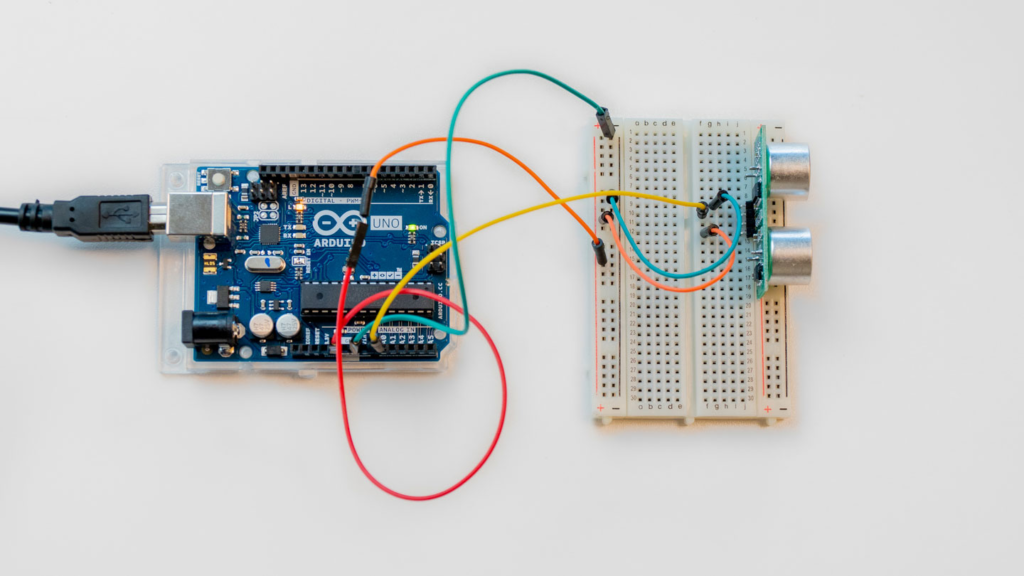
In 2026, Arduino is still one of the best platforms to learn electronics, coding, robotics, automation, and IoT.
Complete Guide to Arduino DIY Projects — 50+ Real-World Projects for Beginners to Advanced
Learn Arduino Through Hands-On Projects That Actually Work
Arduino DIY projects are the best way to learn electronics, coding, and robotics. Instead of reading boring textbooks, you build real devices that do real things — LED blinkers, robots, home automation systems, and IoT devices.
This complete guide covers 50+ Arduino DIY projects organized by difficulty level — from simple LED blinking (Class 8) to advanced IoT systems (engineering level). Each project includes what you learn, how it works, and where to go next.
Whether you are a student looking for a school project, a college student preparing for internships, or a maker exploring new ideas, this guide has something for you.
TABLE OF CONTENTS
- Why Arduino DIY Projects Matter in 2026
- Best Arduino Board for Beginners
- Essential Components for Arduino Projects
- Beginner Arduino DIY Projects (Class 8-10)
- Intermediate Arduino Projects (Class 11-12 & College)
- Advanced Arduino Projects (Engineering Level)
- IoT and Smart System Projects
- How to Learn Arduino Fast
- Arduino Course Options
- Frequently Asked Questions
- Getting Started Today
Why Arduino DIY Projects Matter in 2026
Arduino DIY projects are essential for modern education.
In 2026, schools and colleges across India emphasize practical, hands-on learning over rote memorization. Arduino is the perfect platform for this because:
Career Opportunity:
- IoT jobs pay ₹6-15 lakhs starting salary
- Robotics engineers in high demand
- Automation specialists earn ₹8-20 lakhs
- Smart home development is fastest-growing sector
Educational Value: Arduino DIY projects teach you real skills that textbooks cannot:
- How electronics actually work (not just theory)
- Programming logic through practical application
- Problem-solving under constraints
- Debugging and troubleshooting skills
- Integration of hardware and software
STEM Curriculum Alignment:
- CBSE recommends hands-on learning
- NEP 2020 requires experiential learning
- School science fairs want Arduino projects
- Engineering colleges expect project experience
Why Students Choose Arduino:
- Most popular platform (millions of users)
- Huge online community (free help available)
- Affordable (basic kit costs ₹1,500-3,000)
- Beginner-friendly (no prior experience needed)
- Endless possibilities (from LED to autonomous robots)
Best Arduino Board for Beginners
Not all Arduino boards are equal. Here’s what to choose:
Arduino Uno (Best for Beginners):
- 14 digital pins, 6 analog pins
- Perfect for learning basics
- Most tutorials use Uno
- Cost: ₹400-600
Arduino Nano (Compact Version):
- Smaller, same power as Uno
- Good for portable projects
- Cost: ₹250-400
Arduino Mega (Advanced Projects):
- 54 digital pins, 16 analog pins
- For complex projects
- Cost: ₹800-1,200
ESP32 (WiFi + Bluetooth):
- IoT projects without extra shields
- Built-in WiFi and Bluetooth
- Cost: ₹350-500
Recommendation for Beginners: Start with Arduino Uno. Once you master it, move to ESP32 for IoT projects.
Essential Components for Arduino DIY Projects
Before starting any project, gather these basics:
Electronic Components (₹500-1,000 kit):
- LEDs (red, yellow, green, blue)
- Resistors (assorted values)
- Push buttons (5-10 pieces)
- Breadboard (2-3 pieces)
- Jumper wires (male-to-male, female-to-female)
- Potentiometer (variable resistor)
- Buzzer (5V)
Sensors (₹1,500-3,000):
- Temperature sensor (LM35, DHT11)
- Motion sensor (PIR)
- Distance sensor (Ultrasonic HC-SR04)
- Light sensor (LDR)
- Soil moisture sensor
Actuators & Output Devices (₹1,000-2,000):
- Servo motor (SG90)
- DC motor (5V)
- Motor driver module (L298N)
- Relay module
- LCD display (16×2)
Communication Modules (₹500-1,500):
- Bluetooth module (HC-05)
- WiFi module (ESP8266)
- RFID reader (MFRC522)
- GSM module (optional)
Complete Beginner Kit Cost: ₹3,000-5,000 for all components
Buy Arduino Components — RoboSiddhi Shop
All components available individually or as complete starter kits.
Beginner Arduino DIY Projects (Class 8-10)
Perfect for school students learning Arduino for the first time.
These projects teach fundamental concepts: digital output, digital input, analog input, sensors, and basic logic.
Project 1: LED Blink — Your First Arduino Program
What You Build: An LED that turns ON and OFF repeatedly
What You Learn:
- digitalWrite() function (controlling pins)
- digitalWrite(LOW) vs digitalWrite(HIGH)
- delay() function (timing control)
- Pin numbering on Arduino board
Hardware Needed: Arduino Uno, LED, 220Ω resistor, breadboard, jumper wires
Difficulty: Beginner | Time: 15 minutes | Class: 8+
Real-World Application: This is how traffic lights, alarm systems, and flashers work
Video Tutorial: Watch Full Arduino LED Blink Tutorial
Project 2: LED Fade using PWM (Pulse Width Modulation)
What You Build: An LED that gradually brightens and dims
What You Learn:
- analogWrite() function (PWM control)
- Brightness control (0-255 levels)
- PWM timing and frequency
Hardware Needed: Arduino Uno, LED, 220Ω resistor, breadboard
Difficulty: Beginner | Time: 20 minutes | Class: 8-9
Real-World Application: Phone screen brightness, LED lighting, motor speed control
Project 3: Push Button LED Control
What You Build: LED turns ON when you press a button
What You Learn:
- digitalWrite() and digitalRead()
- IF-ELSE logic (conditional statements)
- Button debouncing basics
Hardware Needed: Arduino Uno, LED, push button, resistor, breadboard
Difficulty: Beginner | Time: 25 minutes | Class: 8-9
Real-World Application: Doorbells, alarm systems, light switches
Project 4: Traffic Light System
What You Build: Red-Yellow-Green lights that change automatically
What You Learn:
- Sequence control (timing multiple events)
- Loop logic
- Multiple digital outputs
Hardware Needed: Arduino Uno, 3 LEDs, 3 resistors, breadboard
Difficulty: Beginner | Time: 30 minutes | Class: 8-9
Real-World Application: Traffic signals at roads, pedestrian crossings
Project 5: Automatic Night Lamp (LDR Sensor)
What You Build: Light that turns ON automatically when room gets dark
What You Learn:
- analogRead() (analog input from sensors)
- Sensor calibration and threshold setting
- Real-world sensor use
Hardware Needed: Arduino Uno, LDR (light sensor), LED, resistor, breadboard
Difficulty: Beginner-Intermediate | Time: 40 minutes | Class: 9
Real-World Application: Street lights, night lamps, automatic sensors
Project 6: Water Level Indicator
What You Build: LED display shows if tank is empty, half-full, or full
What You Learn:
- Multiple analog sensors
- Threshold logic (if-else-if statements)
- Practical IoT application
Hardware Needed: Arduino Uno, 3 LEDs, water sensor, resistors, breadboard
Difficulty: Intermediate | Time: 45 minutes | Class: 9-10
Real-World Application: Tank monitoring, water management, home automation
Project 7: PIR Motion Detection Alarm
What You Build: Alarm that triggers when motion is detected
What You Learn:
- PIR sensor operation
- Real-time detection
- Alert system logic
Hardware Needed: Arduino Uno, PIR sensor, buzzer, LED, breadboard
Difficulty: Intermediate | Time: 45 minutes | Class: 9-10
Real-World Application: Security systems, motion-activated lights, burglar alarms
Project 8: Temperature Monitoring System (LM35)
What You Build: Display room temperature on Serial Monitor
What You Learn:
- Temperature sensor (LM35) operation
- Analog-to-voltage conversion
- Serial communication (Serial.println())
Hardware Needed: Arduino Uno, LM35 sensor, breadboard, USB cable for Serial Monitor
Difficulty: Intermediate | Time: 50 minutes | Class: 9-10
Real-World Application: Temperature monitoring, weather stations, HVAC systems
Project 9: Ultrasonic Distance Measurement
What You Build: Measure distance to objects using sound waves
What You Learn:
- Ultrasonic sensor (HC-SR04) operation
- Trigger and echo pin logic
- Distance calculation formula
Hardware Needed: Arduino Uno, HC-SR04 sensor, LED, buzzer, breadboard
Difficulty: Intermediate | Time: 60 minutes | Class: 9-10
Real-World Application: Parking sensors, robot obstacle avoidance, distance measuring tools
Project 10: Potentiometer Controlled LED Brightness
What You Build: Rotate a knob to control LED brightness
What You Learn:
- Potentiometer (variable resistor) input
- analogRead() and analogWrite() together
- Real-time control systems
Hardware Needed: Arduino Uno, potentiometer, LED, resistor, breadboard
Difficulty: Beginner | Time: 25 minutes | Class: 8-9
Real-World Application: Volume control, brightness adjustment, gaming joysticks
Total Beginner Projects: 10 projects (Class 8-10)
Intermediate Arduino Projects (Class 11-12 & College)
For students ready to build complete systems with multiple sensors.
Project 11: Digital Thermometer with LCD Display
What You Build: Temperature display on 16×2 LCD screen
Hardware Needed: Arduino Uno, LM35, LCD 16×2, 10K potentiometer, breadboard
Difficulty: Intermediate | Time: 90 minutes | Class: 10-11
Real-World Application: Weather stations, medical thermometers, laboratory equipment
Project 12: Automatic Fan Control System
What You Build: Fan turns ON when temperature exceeds set point
Hardware Needed: Arduino Uno, LM35, relay module, 5V fan, breadboard
Difficulty: Intermediate | Time: 90 minutes | Class: 10-11
Real-World Application: Room temperature control, HVAC systems, cooling systems
Project 13: Line Following Robot
What You Build: Robot follows a black line on white surface
Hardware Needed: Arduino Uno, 2 IR sensors, 2 DC motors, motor driver, wheels, breadboard, chassis
Difficulty: Intermediate | Time: 120 minutes | Class: 10-12
Real-World Application: Warehouse automation, factory robots, autonomous vehicles
Project 14: Obstacle Avoiding Robot
What You Build: Robot moves around avoiding obstacles automatically
Hardware Needed: Arduino Uno, ultrasonic sensor, 2 DC motors, motor driver, wheels, chassis
Difficulty: Intermediate | Time: 120 minutes | Class: 10-12
Real-World Application: Autonomous robots, warehouse automation, self-driving vehicles
Project 15: Servo Motor Control
What You Build: Control servo angle with potentiometer
Hardware Needed: Arduino Uno, servo motor (SG90), potentiometer, breadboard
Difficulty: Intermediate | Time: 45 minutes | Class: 10
Real-World Application: Robot arm joints, camera pan-tilt, mechanical control
Project 16: Fire Detection and Alert System
What You Build: Detects fire and triggers alarm + LED alert
Hardware Needed: Arduino Uno, flame sensor, buzzer, LED, relay, breadboard
Difficulty: Intermediate | Time: 60 minutes | Class: 10-11
Real-World Application: Fire alarm systems, industrial safety, building automation
Project 17: Visitor Counter System
What You Build: Counts people entering and leaving a room
Hardware Needed: Arduino Uno, 2 IR sensors, LCD display, breadboard
Difficulty: Intermediate | Time: 100 minutes | Class: 11
Real-World Application: Store footfall tracking, library visitor counting, event management
Project 18: Bluetooth Controlled LED
What You Build: Control LED from mobile phone via Bluetooth
Hardware Needed: Arduino Uno, HC-05 Bluetooth module, LED, resistor, smartphone with app
Difficulty: Intermediate | Time: 75 minutes | Class: 11
Real-World Application: Mobile-controlled home automation, wireless devices, IoT systems
Project 19: Smart Dustbin with Auto Open
What You Build: Dustbin lid opens automatically when hand comes near
Hardware Needed: Arduino Uno, ultrasonic sensor, servo motor, dustbin
Difficulty: Intermediate-Advanced | Time: 120 minutes | Class: 11-12
Real-World Application: Smart home appliances, touch-free systems, hygiene solutions
Project 20: DC Motor Speed Control
What You Build: Control motor speed with potentiometer
Hardware Needed: Arduino Uno, DC motor, motor driver (L298N), potentiometer, breadboard
Difficulty: Intermediate | Time: 60 minutes | Class: 11
Real-World Application: Fan speed control, pump control, motor speed management
Total Intermediate Projects: 10 projects (Class 11-12 & College)
Advanced Arduino Projects (Engineering Level)
For final-year students and advanced makers.
Project 21: RFID Based Attendance System
What You Build: Attendance marked automatically using RFID cards
Hardware Needed: Arduino Uno, MFRC522 RFID reader, RFID cards, LCD, SD card module
Difficulty: Advanced | Time: 150 minutes | Class: Final Year
Real-World Application: School attendance systems, access control, employee tracking
Project 22: Password Based Door Lock
What You Build: Door opens only with correct password
Hardware Needed: Arduino Uno, 4×4 keypad, solenoid lock, relay, LCD
Difficulty: Advanced | Time: 120 minutes | Class: Final Year
Real-World Application: Security systems, office locks, safe mechanisms
Project 23: Bluetooth Home Automation
What You Build: Control home appliances from mobile phone
Hardware Needed: Arduino Uno, HC-05 Bluetooth, relays, appliances, power supply
Difficulty: Advanced | Time: 150 minutes | Class: Final Year
Real-World Application: Smart homes, IoT systems, residential automation
Project 24: Smart Irrigation System
What You Build: Plants watered automatically based on soil moisture
Hardware Needed: Arduino Uno, soil moisture sensor, relay, water pump, solenoid valve
Difficulty: Advanced | Time: 120 minutes | Class: Final Year
Real-World Application: Agriculture automation, garden management, water conservation
Project 25: Smart Parking System
What You Build: Detect free/occupied parking spaces
Hardware Needed: Arduino Uno, ultrasonic sensors, LEDs, LCD display
Difficulty: Advanced | Time: 140 minutes | Class: Final Year
Real-World Application: Smart parking, parking lot management, traffic management
Total Advanced Projects: 5+ projects (Engineering Level)
IoT and Smart System Projects (2026)
Cutting-edge projects using WiFi and cloud connectivity:
- IoT Weather Monitoring System
- WiFi Home Automation (using ESP32)
- Smart Energy Meter
- IoT Greenhouse Management
- Smart Health Monitoring System
- Air Quality Monitoring System
- IoT Water Tank Management
- Smart Street Light Using IoT
- IoT Attendance System
- Smart Waste Management System
How to Learn Arduino Fast — Complete Learning Path
Step 1: Understand Arduino Basics (Week 1)
- What is Arduino and why use it
- Arduino IDE installation and setup
- Understanding pins and connections
- Your first “Hello World” (LED blink)
Step 2: Master Fundamentals (Weeks 2-3)
- Digital input/output
- Analog input/output
- Sensors and how they work
- Build 5-10 beginner projects
Step 3: Learn Programming Logic (Weeks 4-5)
- If-else statements
- Loops and iterations
- Functions and modularity
- Debugging techniques
Step 4: Build Intermediate Projects (Weeks 6-8)
- Multi-sensor systems
- Motor and relay control
- LCD/display integration
- Real-world applications
Step 5: Advance to IoT (Weeks 9-12)
- WiFi connectivity (ESP32)
- Cloud integration
- Mobile app control
- Advanced automation
Total Learning Time: 12 weeks with 2-3 hours daily practice
Learn Arduino Professionally — Complete Online Courses
RoboSiddhi offers comprehensive Arduino courses for all levels:
Arduino Complete Course (Beginner to Advanced)
Learn Arduino from scratch with video tutorials, code, and real projects.
Enroll in Arduino Course — RoboSiddhi LMS
Course Includes:
- 50+ video tutorials
- Complete project codes
- Step-by-step walkthroughs
- Certificate upon completion
- Lifetime access
Beginner Section: LED basics, sensors, control logic Intermediate Section: Motors, relays, systems Advanced Section: IoT, WiFi, cloud integration
Free Video Tutorials on YouTube
Access hundreds of Arduino tutorial videos for free:
Watch Free Arduino Tutorials — RoboSiddhi YouTube
Videos cover:
- Project walkthroughs
- Code explanations
- Wiring diagrams
- Troubleshooting tips
Buy Arduino Components and Kits
Get all components you need for these projects:
Browse Arduino Kits — RoboSiddhi Shop
Available:
- Beginner starter kits (₹2,000-3,000)
- Intermediate project kits (₹4,000-6,000)
- Complete all-in-one kits (₹8,000+)
- Individual components
Frequently Asked Questions
Q: What is Arduino and why learn it? A: Arduino is an open-source platform for building electronic projects. It’s easy to learn and enables you to create real-world devices.
Q: Are these Arduino DIY projects suitable for beginners? A: Yes. Projects start from absolute basics (LED blinking) and progress to advanced systems. Choose projects matching your level.
Q: How much does a complete Arduino kit cost? A: Basic kits: ₹2,000-3,000. Intermediate: ₹4,000-6,000. Complete: ₹8,000+. Individual components available at RoboSiddhi Shop.
Q: Can school students (Class 8-10) build these projects? A: Yes. Many projects are designed for Class 8-10. Start with beginner projects and progress gradually.
Q: Are these projects good for school exhibitions and competitions? A: Absolutely. These projects are perfect for science fairs, school exhibitions, and STEM competitions.
Q: How long does each project take? A: Beginner projects: 15-60 minutes. Intermediate: 60-120 minutes. Advanced: 120+ minutes.
Q: Do I need coding experience before starting? A: No. Arduino coding is simple and beginner-friendly. You’ll learn as you build.
Q: Will these projects help with engineering entrance exams? A: Yes. Hands-on electronics knowledge helps with IITJEE, NEET, and engineering interviews.
Q: Can I sell projects I build? A: Yes. Once you master Arduino, many projects can be commercialized (smart home systems, automation products, etc.).
Q: Where do I get help if I’m stuck? A: RoboSiddhi community, YouTube comments, Arduino forums. Course students get direct support.
Get Started Today — Your Arduino Journey Begins Now
You now know 50+ Arduino DIY projects from beginner to advanced level. The question is: which one will you build first?
Next Steps:
Option 1: Start with Beginner Projects
- Buy a basic Arduino Uno kit
- Build LED blink (15 minutes)
- Progress to traffic light system
- Watch video tutorials
Option 2: Enroll in Structured Course
- Get complete guidance from experts
- Learn in organized progression
- Get certificate upon completion
- Access lifetime video library
Option 3: Buy Complete Kit and Start
- All components included
- Beginner-friendly bundling
- Save money (bundle discount)
- Start building immediately
Related Learning Paths
After Arduino, explore:
- ESP32 Projects — WiFi and IoT capabilities
- Robotics Projects — Build autonomous robots
- STEM Lab Curriculum — Complete school lab setup
- Skill Development Courses — 3D printing, drone tech, AR/VR
Explore All Courses and Projects