
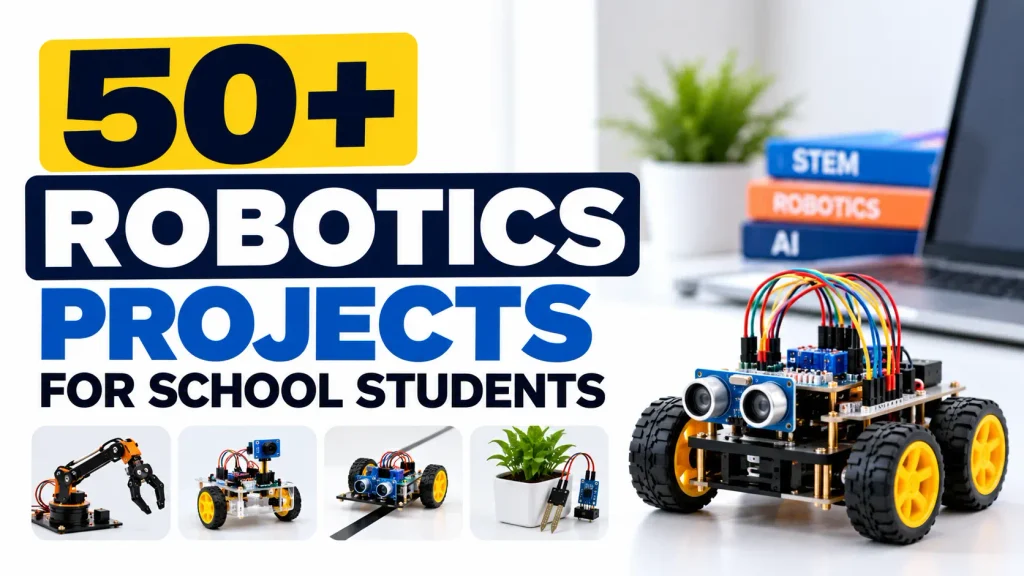
50+ Robotics Projects for School Students
Robotics is one of the most effective ways to introduce students to coding, electronics, engineering, automation and problem-solving through practical learning.
Instead of only studying concepts from textbooks, students can build robots, program sensors, control motors and develop solutions to real-world problems.
This guide covers 50+ Robotics Projects for School Students, ranging from simple electronics and sensor-based activities to autonomous robots, AI, IoT and advanced robotics projects.
These projects can be adapted for students from Class 3 to Class 10 according to their age, knowledge and programming skills.
Table of Contents
- Why Robotics Projects Are Important for Students
- Robotics Projects for Beginners
- Sensor-Based Robotics Projects
- Arduino Robotics Projects
- ESP32 & IoT Robotics Projects
- AI & Advanced Robotics Projects
- Robotics Projects for Class 3 to 10
- Robotics Components Students Can Learn
- How Students Learn Through Robotics Projects
- Frequently Asked Questions
- Conclusion
Why Robotics Projects Are Important for Students
Robotics combines multiple areas of learning:
- Science
- Technology
- Engineering
- Mathematics
- Electronics
- Programming
- Mechanical Design
- Artificial Intelligence
When students build a robot, they learn how different components work together.
For example, a simple obstacle avoidance robot can teach students about:
Sensors → Programming → Decision Making → Motors → Mechanical Movement
This makes robotics an excellent hands-on learning activity for schools.
50+ Robotics Projects for School Students
Below is a collection of robotics project ideas that schools can use for classroom activities, robotics labs, STEM programs and innovation competitions.
Beginner Robotics Projects
1. LED Blink Robot Project
One of the simplest electronics activities for beginners.
Students learn:
- Digital output
- Basic programming
- LED control
- Microcontroller fundamentals
Recommended: Class 3–5
2. Traffic Light Robot Model
Students create a programmable traffic signal using LEDs.
They learn:
- Timing
- Sequential programming
- Basic electronics
- Real-world automation
Recommended: Class 3–6
3. Smart Street Light
An LDR sensor detects surrounding light and automatically controls a light.
Students learn:
- Sensors
- Automation
- Analog input
- Energy-saving concepts
Recommended: Class 4–7
4. Automatic Night Lamp
A light automatically switches on when the environment becomes dark.
Learning areas:
- LDR
- Arduino
- LED
- Sensor programming
5. Touch Sensor Project
Students create a system that responds when a touch sensor is activated.
This introduces students to sensor-based interaction.
6. Buzzer Alarm System
Students build an electronic alarm using a sensor and buzzer.
Possible applications include:
- Door alarm
- Security alarm
- Object detection
7. Automatic Dustbin
A sensor detects a person’s hand and automatically opens the dustbin lid.
Students learn:
- Ultrasonic sensors
- Servo motors
- Automation
- Mechanical design
8. Smart Fan
A temperature sensor can be used to automatically control a fan.
Students learn how environmental data can control an electrical device.
9. Mini Conveyor Belt
Students build a small conveyor system using motors.
Learning areas include:
- Motors
- Mechanical movement
- Automation
- Control systems
10. Mini Robotic Hand
Students create a simple mechanical hand using motors or servo mechanisms.
This introduces:
- Robotics mechanics
- Movement
- Control
- Mechanical design
Sensor-Based Robotics Projects
11. Obstacle Avoiding Robot
An ultrasonic sensor detects obstacles and the robot changes direction automatically.
Students learn:
- Ultrasonic sensors
- Motor control
- Conditional programming
- Autonomous movement
Recommended: Class 5–10
12. Line Follower Robot
A robot follows a predefined line using IR sensors.
Students learn:
- Sensors
- Motor control
- Logic
- Feedback systems
This is one of the most popular beginner robotics projects.
13. Light Following Robot
The robot detects a light source and moves toward it.
Students explore:
- Light sensors
- Motor control
- Sensor comparison
- Robot movement
14. Edge Detection Robot
Sensors detect the edge of a surface and help prevent the robot from falling.
This introduces students to safety logic and autonomous decision-making.
15. Sound Activated Robot
The robot responds to a sound or clap.
Students learn:
- Sound sensors
- Input processing
- Control logic
- Automation
16. IR Remote Controlled Robot
Students control a robot using an infrared remote.
Learning areas:
- IR communication
- Remote control
- Motor drivers
- Programming
17. Bluetooth Controlled Robot
A smartphone can be used to control the robot.
Students learn:
- Bluetooth communication
- Mobile control
- Wireless robotics
- Motor control
18. Gesture Controlled Robot
The robot responds to hand gestures.
Students learn the basic concept of human-machine interaction.
19. Temperature Monitoring Robot
A robot measures temperature using a sensor and displays the information.
Possible learning areas:
- Sensors
- Data collection
- Displays
- Programming
20. Fire Detection Robot
A sensor-based robot can detect a possible heat or flame source.
Students learn:
- Sensors
- Robotics
- Safety applications
- Autonomous movement
Arduino Robotics Projects
Arduino is widely used for introducing students to microcontrollers and robotics.
21. Arduino Line Follower Robot
Students build a line-following robot using Arduino and IR sensors.
They learn:
- Arduino programming
- Sensors
- Motor drivers
- Robot control
22. Arduino Obstacle Avoiding Robot
An ultrasonic sensor detects obstacles while Arduino controls the robot’s movement.
23. Arduino Smart Parking System
Sensors detect available parking spaces and display their status.
Students explore:
- Sensors
- Automation
- Displays
- Smart infrastructure
24. Arduino Smart Home
Students create a model home with automated lights, fans and other devices.
Learning areas:
- Relays
- Sensors
- Automation
- Embedded programming
25. Arduino Robotic Arm
Students control a small robotic arm using servo motors.
They learn:
- Servo control
- Mechanical movement
- Coordinate concepts
- Robotics programming
26. Arduino Automatic Gate
A sensor detects an approaching object and automatically opens a gate.
This demonstrates automation in everyday infrastructure.
27. Arduino Smart Irrigation System
A soil moisture sensor detects the condition of soil and controls a water pump.
Students learn:
- Agriculture technology
- Sensors
- Automation
- Environmental applications
28. Arduino Weather Station
Students create a basic weather monitoring system using sensors.
Possible measurements include:
- Temperature
- Humidity
- Atmospheric conditions
29. Arduino Security System
Students build a simple security system using sensors and alarms.
30. Arduino Automatic Plant Watering System
The system monitors soil moisture and provides water when necessary.
This is a useful combination of robotics, electronics and environmental education.
ESP32 & IoT Robotics Projects
ESP32 introduces students to wireless connectivity and IoT concepts.
31. Wi-Fi Controlled Robot
Students control a robot through a Wi-Fi connection.
They learn:
- ESP32
- Wireless communication
- Web control
- Robotics
32. IoT Smart Home
Students build a connected home model where devices can be monitored or controlled remotely.
33. IoT Smart Agriculture
Sensors collect information about soil and environmental conditions.
Possible features include:
- Soil moisture monitoring
- Temperature monitoring
- Automatic irrigation
34. ESP32 Weather Station
An ESP32 collects sensor information and can transmit the data wirelessly.
35. IoT Smart Parking
Students build a parking model that uses sensors to detect available spaces.
36. IoT Security System
Sensors detect activity and send information through a network.
37. Smart School Model
Students create a miniature smart school using:
- Sensors
- Automation
- IoT
- Lighting control
- Environmental monitoring
38. IoT Waste Management System
Students design a smart waste bin or waste monitoring model.
This introduces:
- Sensors
- IoT
- Data collection
- Smart-city concepts
Advanced Robotics Projects
39. Maze Solver Robot
The robot navigates through a maze using sensors and programmed logic.
Students develop:
- Algorithms
- Sensor processing
- Decision making
- Autonomous navigation
40. Autonomous Navigation Robot
A robot is designed to navigate an environment with minimal human control.
This introduces students to autonomous robotics.
41. Human Following Robot
Sensors are used to detect and follow a person.
Students learn about:
- Distance sensing
- Motor control
- Tracking
- Autonomous movement
42. Voice Controlled Robot
Students control a robot using voice commands.
Possible commands include:
- Forward
- Backward
- Left
- Right
- Stop
This introduces the connection between voice interfaces and robotics.
43. AI Object Detection Robot
A camera and computer vision system can be used to detect objects.
Students can explore:
- Computer Vision
- Image processing
- AI
- Robotics
44. Face Detection Robot
A camera-based system identifies faces and can trigger a programmed robotic response.
45. AI Assistant Robot
Students can combine voice interaction, programming and robotics to create an educational AI assistant.
46. Robotic Arm Automation
A robotic arm can be programmed to perform repetitive movements or sorting tasks.
Students learn:
- Servo motors
- Automation
- Programming
- Industrial robotics concepts
47. Object Sorting Robot
The robot identifies or detects objects and sorts them into different locations.
This introduces:
- Automation
- Sensors
- Computer vision
- Industrial robotics
48. Autonomous Delivery Robot
Students can design a small robot that transports an object from one location to another.
This demonstrates the concept of autonomous logistics.
49. Mars Rover Project
Students create a rover inspired by planetary exploration vehicles.
Possible features include:
- Multiple motors
- Sensors
- Camera
- Remote control
- Autonomous movement
This combines robotics with space science.
50. Search & Rescue Robot
Students design a robot concept for navigating difficult environments.
Possible features include:
- Camera
- Sensors
- Remote control
- Obstacle detection
Bonus Robotics Projects
Here are additional project ideas for schools that want to expand their robotics program.
51. Robotic Vacuum Cleaner
A small autonomous robot navigates a surface and simulates automated cleaning.
52. Smart Railway Crossing
Students build a railway model with automatic gates and warning signals.
53. Smart Traffic Management System
Sensors and programmed logic are used to control traffic signals.
54. Robotic Pick-and-Place System
A robotic mechanism picks an object and moves it to another location.
55. Gesture Controlled Robotic Arm
Students combine gesture sensing with robotic arm movement.
56. Smart Elevator Model
Students build a miniature elevator controlled using buttons or sensors.
57. Autonomous Fire-Fighting Robot
A robot detects a simulated fire source and moves toward it.
58. Smart Hospital Robot
Students create a model robot designed to transport items within a hospital environment.
59. Smart Warehouse Robot
Students design a small robot that moves objects between designated locations.
60. Humanoid Robot Project
Students explore human-like robotic movement using motors, sensors and programmed control.
Robotics Projects by Class
The same robotics project should not be given to every age group.
The difficulty should increase as students develop their technical skills.
| Class | Suitable Project Areas |
|---|---|
| Class 3 | LED, Traffic Light, Simple Circuits, Smart Lamp |
| Class 4 | Sensors, Automatic Dustbin, Smart Fan |
| Class 5 | Line Follower, Obstacle Detection, Arduino Basics |
| Class 6 | Bluetooth Robot, Smart Parking, Robotic Arm |
| Class 7 | IoT, ESP32, Smart Agriculture |
| Class 8 | Autonomous Robots, Maze Solver, Weather Station |
| Class 9 | AI Robots, Computer Vision, Advanced IoT |
| Class 10 | Autonomous Robotics, AI, Automation, Advanced Projects |
Schools can modify the difficulty depending on students’ existing knowledge.
Components Used in School Robotics Projects
A school robotics laboratory may use different components depending on the project.
Microcontrollers
- Arduino UNO
- Arduino Nano
- ESP32
- NodeMCU
Computing Boards
- Raspberry Pi
Sensors
- Ultrasonic Sensor
- IR Sensor
- LDR
- Temperature Sensor
- Humidity Sensor
- Soil Moisture Sensor
- Motion Sensor
- Flame Sensor
Motors
- DC Motors
- Gear Motors
- Servo Motors
- Stepper Motors
Electronics
- LEDs
- Buzzers
- Relays
- Displays
- Motor Drivers
- Switches
- Resistors
Mechanical Components
- Robot Chassis
- Wheels
- Gears
- Robotic Arms
- Structural Parts
What Students Learn From Robotics Projects
Robotics projects are not only about building a moving machine.
Students develop several important skills.
Programming
Students learn how to write instructions that control hardware.
Electronics
Students understand circuits, sensors, motors and electrical connections.
Engineering
Students learn how mechanical components work together.
Problem Solving
Students identify problems, test solutions and make improvements.
Computational Thinking
Students learn to break complex problems into smaller steps.
Creativity
Students can design their own robots and prototypes.
Teamwork
Large projects encourage students to work together and divide responsibilities.
Robotics Projects and STEM Education
Robotics naturally connects with STEM education.
For example, when students build a line-following robot:
Science helps them understand sensors and electricity.
Technology provides the electronic and programming tools.
Engineering helps them design the robot.
Mathematics helps with measurements, speed and calculations.
This makes robotics an effective hands-on STEM learning activity.
Robotics Projects for School Competitions
Schools can also use robotics projects for:
- Science exhibitions
- STEM fairs
- Robotics competitions
- Innovation competitions
- Atal Tinkering Lab activities
- School technology festivals
- Project exhibitions
- Maker events
Competition projects can be made more advanced by adding sensors, wireless communication, AI or autonomous functionality.
How to Start Robotics Projects in School
A successful robotics program usually requires more than purchasing kits.
Schools should consider:
1. Robotics Lab
Create a dedicated space for practical activities.
2. Equipment
Provide suitable electronics, robotics and programming components.
3. Curriculum
Create age-appropriate learning activities.
4. Teacher Training
Train teachers to conduct practical sessions.
5. Projects
Give students progressively challenging projects.
6. Assessment
Evaluate students based on design, programming, testing and problem-solving.
Robotics Lab Setup for Schools
RoboSiddhi provides solutions for schools looking to introduce structured robotics education.
A school robotics program can combine:
- Robotics Equipment
- Arduino
- ESP32
- Sensors
- Motors
- IoT
- AI
- STEM Projects
- Curriculum
- Teacher Training
- Digital Learning
Explore RoboSiddhi Robotics Lab Setup
Learn Robotics Online
Students and educators can continue their robotics learning through structured online courses.
RoboSiddhi provides courses covering areas such as Arduino, ESP32, Raspberry Pi, AI, Machine Learning and robotics.
Robotics & STEM Kits
Schools, teachers and students can explore practical robotics and STEM kits for project-based learning.
Visit RoboSiddhi Robotics & STEM Shop
More Robotics & STEM Resources
Explore related RoboSiddhi resources:
Frequently Asked Questions
What are the best robotics projects for school students?
Some popular projects include line follower robots, obstacle avoiding robots, smart irrigation systems, robotic arms, maze solver robots, IoT robots, AI robots and autonomous vehicles.
Which robotics projects are suitable for beginners?
Beginners can start with LED projects, traffic lights, sensors, automatic lamps, smart dustbins and simple motor-control activities.
Which robotics projects are suitable for Class 3 to 5?
Students in these classes can start with simple circuits, sensors, motors, smart lamps, traffic lights and basic robotic models.
Which robotics projects are suitable for Class 6 to 8?
Students can work on line followers, obstacle avoidance robots, Bluetooth robots, Arduino projects, IoT projects and robotic arms.
Which robotics projects are suitable for Class 9 and 10?
Students can explore AI robotics, computer vision, autonomous robots, advanced IoT, robotic arms, automation and machine-learning applications.
What programming language is used in school robotics?
Arduino-based projects commonly introduce students to C/C++-based Arduino programming. Advanced programs may also use Python and other programming environments.
What components are required for robotics projects?
Common components include microcontrollers, sensors, motors, motor drivers, batteries, robot chassis, electronic components and programming tools.
Can robotics projects be used in STEM education?
Yes. Robotics naturally combines science, technology, engineering and mathematics through hands-on project development.
Can schools set up a robotics lab for Class 3 to 10?
Yes. A robotics curriculum can be designed progressively so students start with basic activities and move toward advanced robotics and AI projects.
Where can schools get robotics kits and lab support?
Schools can explore RoboSiddhi’s robotics lab solutions, learning courses and STEM/robotics kits.
Conclusion
Robotics projects give students an opportunity to move from learning concepts to building real solutions.
The 50+ Robotics Projects for School Students listed in this guide cover a wide range of topics, including electronics, Arduino, sensors, IoT, AI, automation, autonomous robotics and space exploration.
Schools can start with simple projects and gradually introduce more advanced challenges as students develop their technical skills.
A well-structured robotics program can help students develop:
Coding + Electronics + Engineering + Problem Solving + Creativity + Innovation
For schools interested in developing a dedicated robotics learning environment, RoboSiddhi provides laboratory setup, curriculum, equipment, teacher training and practical learning support.