
Learn Grade 4 STEM activities with a Robotic Spider Programming Project. Explore robotics, coding, movement control, microcontrollers, and beginner-friendly STEM learning through hands-on robot programming.
Grade 4 STEM Activities: Robotic Spider Programming Project
Robotics helps children learn science, coding, and engineering through exciting hands-on activities. In this fun Grade 4 STEM Activities project, students learn how to control a Robotic Spider using simple programming commands.
The project introduces students to:
- Robotics basics
- Movement programming
- Microcontrollers
- Block coding
- Robot navigation
- STEM problem-solving
- Automation concepts
The robotic spider can move forward, backward, turn left, turn right, and even perform a dance routine using beginner-friendly coding software.
What is a Robotic Spider?
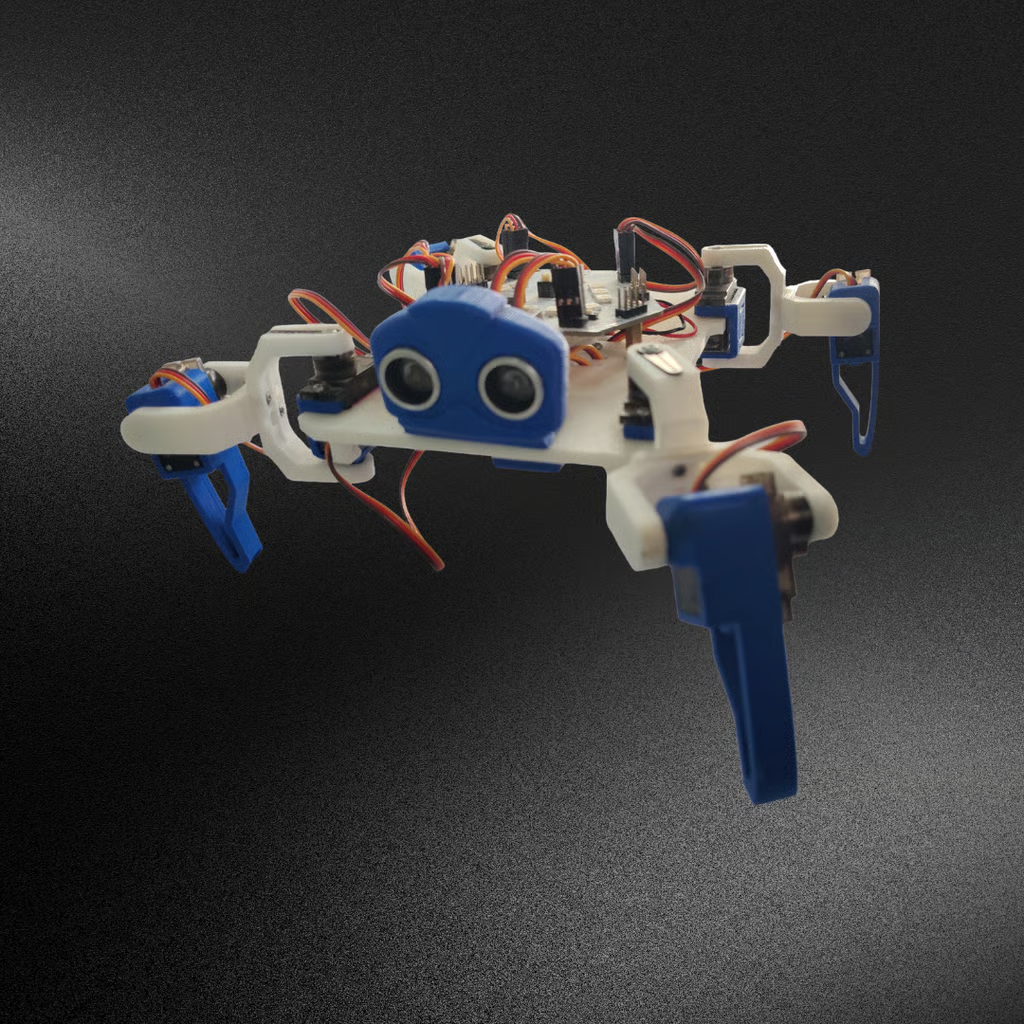
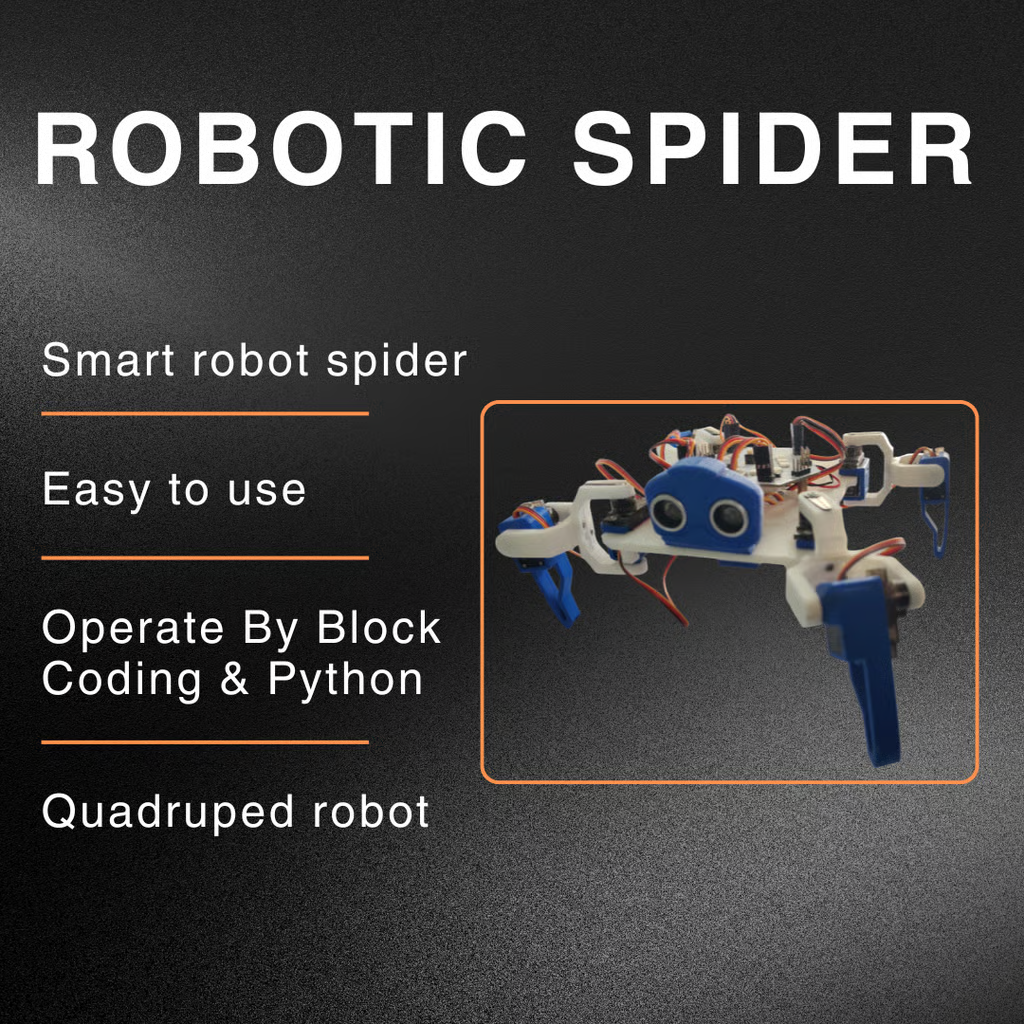
A Robotic Spider is a programmable walking robot designed to imitate spider-like movement using motors and coding commands.
The robot contains:
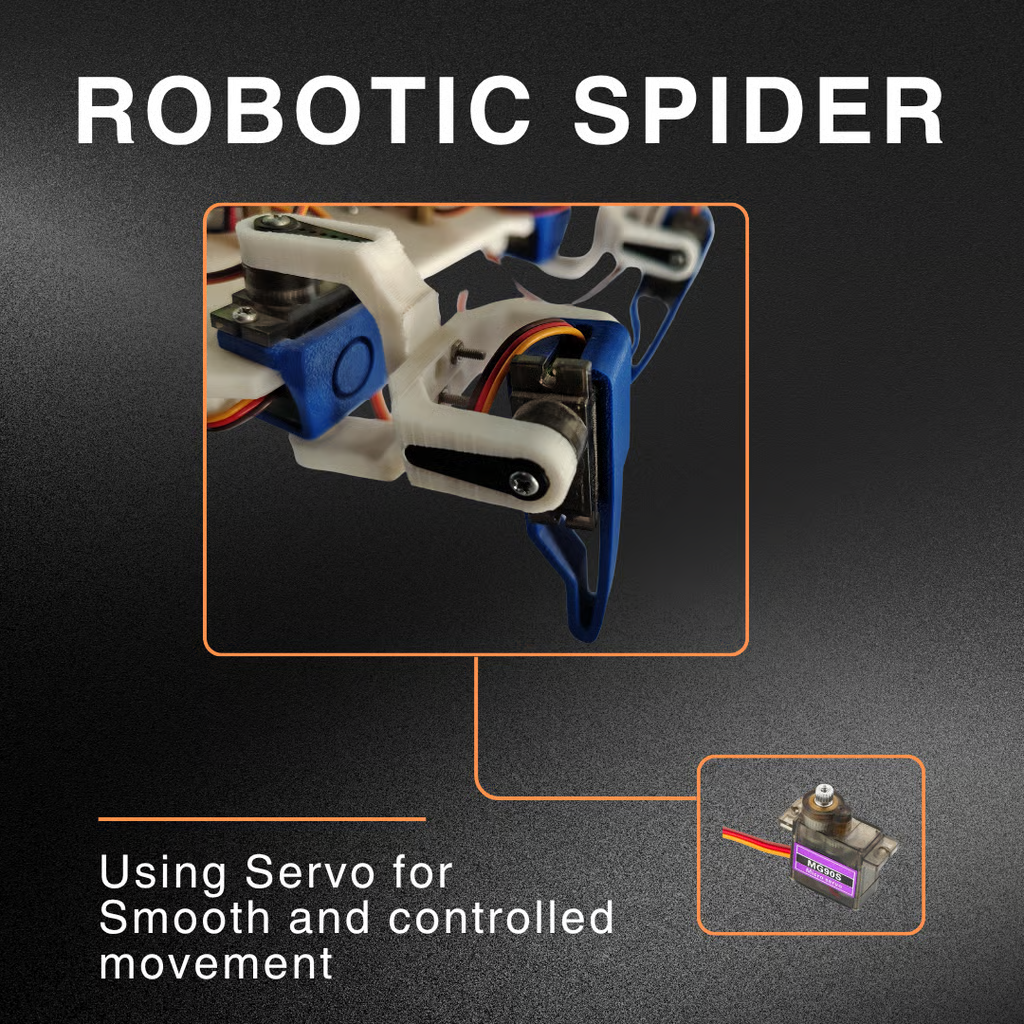
- Multiple moving legs
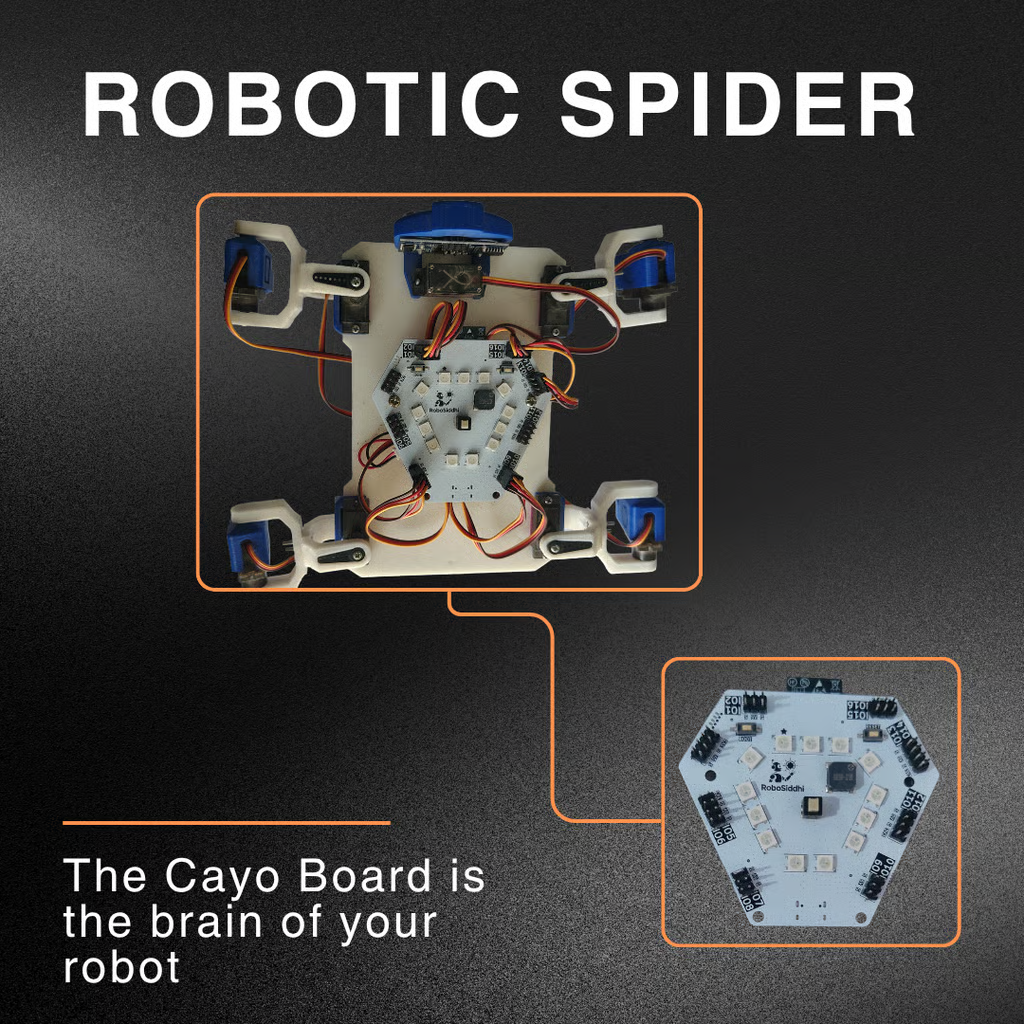
- Embedded microcontroller board
- Motion control system
- Programmable movement functions
- Sensor-based design
The robotic spider works similarly to other educational robots like robotic dogs but uses a spider-inspired walking mechanism.
Components Used in the Project
Students use the following components during this STEM robotics activity:
| Component | Purpose |
|---|---|
| Robotic Spider | Main robotic platform |
| Microcontroller Board | Controls robot movement |
| Motors | Move the robot legs |
| USB Cable | Connects robot to PC |
| Computer | Used for programming |
| Crawler Software | Coding and control interface |
Understanding the Crawler Programming Software
The robotic spider is programmed using Crawler Software, a beginner-friendly graphical coding platform.
The software allows students to control robot movement using predefined commands.
Main Functions in the Software
| Function | Action |
|---|---|
| Move Forward | Robot walks forward |
| Move Backward | Robot walks backward |
| Turn Left | Robot turns left |
| Turn Right | Robot turns right |
| Dance | Robot performs dance motion |
Students can combine these commands to create different movement patterns.
Connecting the Robotic Spider
The robotic spider connects to a computer through a COM port.
When the connection is successful:
- A green indicator appears
- The robot becomes ready for programming
- Commands can be uploaded to the robot
This teaches students how robots communicate with computers.
Basic Robot Movement Programming
The robotic spider uses simple movement commands.
Move Forward
The robot walks ahead for a selected number of steps.
Move Backward
The robot moves in reverse direction.
Turn Left and Right
The robot changes direction using turning commands.
Dance Function
The robot performs a fun programmed dance sequence.
These actions help students understand how coding controls robotic motion.
Setup and Loop Programming Structure
The project introduces two important coding concepts.
Setup Section
The setup block:
- Starts the robot
- Initializes the system
- Runs only once
Loop Section
The loop block:
- Repeats commands continuously
- Controls repeated movement patterns
- Makes the robot continue actions automatically
This teaches children the basics of robotics programming logic.
Example Robot Movement Sequence
Students can create simple movement patterns such as:
- Move forward for 5 steps
- Move backward for 5 steps
- Turn left
- Turn right
- Perform dance motion
This helps children learn sequence-based programming.
Grade 4 STEM Activities Important Robotics Concepts Learned
This Grade 4 STEM activity teaches several foundational robotics concepts.
Motion Control
Programming controls how robots move.
Automation
Robots follow commands automatically.
Coding Logic
Commands work in sequences and loops.
Engineering Design
Robots combine hardware and software together.
Computer Communication
Robots receive instructions from computers.
Why Step-Based Movement is Important
The project uses movement in small steps such as:
- 2 steps
- 5 steps
This prevents the robot from:
- Falling off tables
- Losing balance
- Moving too far unexpectedly
Students learn safe and controlled robotics operation.
Real-Life Applications of Robotics
Robotics systems similar to this project are used in:
Rescue Robots
Robots explore dangerous areas safely.
Industrial Automation
Machines perform repeated tasks automatically.
Educational Robotics
Students learn STEM through programmable robots.
AI and Smart Machines
Robots use coding and sensors to interact with environments.
Research and Innovation
Scientists use robotic systems for experiments and exploration.
Benefits of This STEM Activity
This project helps students:
- Build creativity
- Improve logical thinking
- Learn coding basics
- Understand robotics
- Develop problem-solving skills
- Explore engineering concepts
Hands-on robotics activities make learning interactive and enjoyable.
Grade 4 STEM Activities Safety Instructions
While using robotic projects:
- Keep the robot on stable surfaces
- Avoid pulling wires forcefully
- Connect cables carefully
- Use proper supervision during setup
- Handle electronic components safely
Safe robotics practices are important for beginners.
RoboSiddhi – Supporting STEM and Robotics Education
https://robosiddhi.shop/robosiddhi-robotic-spider
RoboSiddhi provides robotics kits, sensors, STEM learning tools, coding boards, and educational electronics products for students, schools, and robotics enthusiasts.
Students can explore:
- Robot kits
- Flame sensors
- Coding boards
- STEM learning materials
- DIY robotics projects
- Electronics components
RoboSiddhi helps children learn robotics, coding, and innovation through creative hands-on STEM education and practical learning experiences.
Final Thoughts
This Grade 4 STEM Activities Robotic Spider Programming Project introduces children to the exciting world of robotics, coding, and automation through simple movement-based programming.
By controlling the robotic spider’s movements and actions, students gain practical experience in programming logic, robotic motion, and STEM learning.
Projects like this encourage curiosity, creativity, and innovation while helping children build strong foundations in robotics and future technologies.